
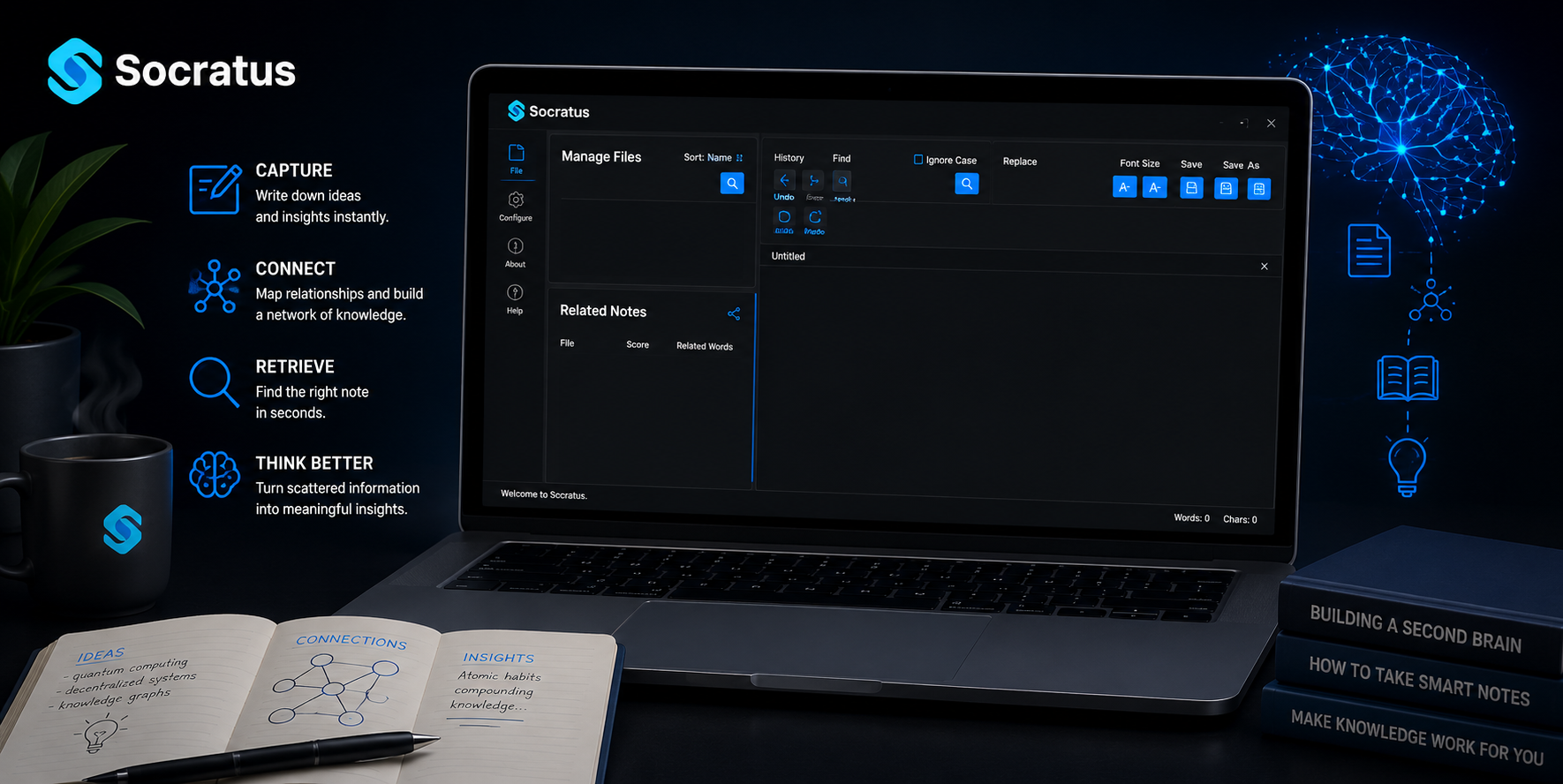
A week is all it takes to save a PDF, highlight a paragraph, and then forget both. Don’t mistake that for an absence of willpower; the issue is one of retrieval. Computer scientists have studied retrieval, but you will not find it in your typical notes app. The answer lies in personal knowledge management, a system for capturing and putting at your disposal what you have put into it by way of indexing, much as a search engine would with the web.
For the most part, people have their capture tools in place, but they lack a sufficiently intelligent retrieval layer to surface ideas before they realize they are there. With the accumulation of meeting transcripts, browser tabs, and notes, the cost of this shortcoming rises year on year.
Then again, personal knowledge management has been making inroads from the old folder trees to an information retrieval stack proper, underpinned by local inference, graphs, and embeddings. This guide explains what has changed, why older methods are inadequate, and how a modern thinking system operates in practice.
The Numbers Behind the Personal Knowledge Management Problem
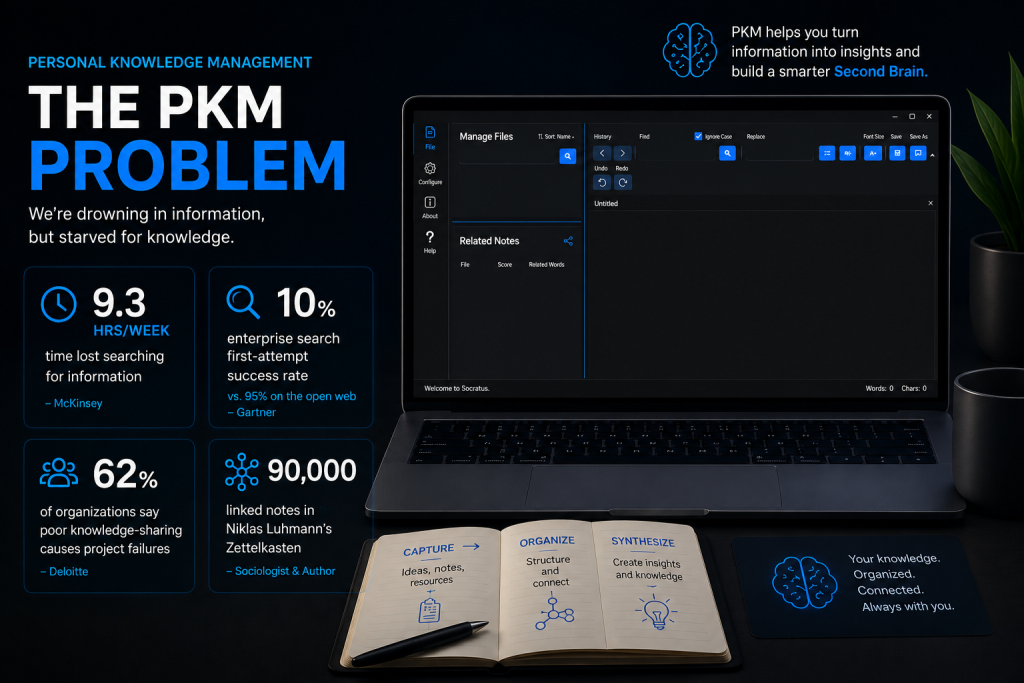
There is no need to rely on anecdotes to put this problem in perspective; the figures speak for themselves. For example, McKinsey research indicates that employees spend 1.8 hours a day, or 9.3 hours a week, just to find and gather information. And it is not only the time they lose at the organizational level; poor knowledge-sharing also plays a role in undermining things, with most companies pointing to it as the reason why projects come to naught. Some 62% will tell you it is the reason for project failure.
Often the bottleneck is the retrieval layer. The accuracy one expects from a public web search engine is not to be had from enterprise search tools, which have a first-attempt success rate of just 10% (Google’s first-page accuracy is 95%). Forrester provides further evidence of the inefficiency: an average large organization has some 367 software systems in play, and knowledge workers are expending 30% of their time to track down data strewn about them.
Yet the infrastructure put in place to remedy the situation is expanding quickly. One sees it in the vector database market, which is set to grow at a 23.6% CAGR to hit $8.71 billion in 2030 from a 2026 valuation of $3.73 billion. Then there are the personal knowledge management tools that make use of the same momentum, taking what would be an enterprise retrieval architecture and putting it in a local-first workspace for the individual.
From Folder Trees to Vector Space: What Changed Under the Hood
Keyword Indexes vs. Semantic Embeddings
An inverted index is the foundation of a conventional search; it is what links a file to the very words in it. But if one puts a different term to an idea in a note than in the query, that method will not hold up.
With semantic search, the problem is framed differently. Every note is made into a vector, essentially a string of numbers for its meaning, and cosine similarity is employed to locate any vectors in the vicinity. So, a note on “customer churn” and a search turned up for “retention problems” are a match, their vectors being in proximity in that space despite having no common words at all.
Knowledge Graphs and Relevance Scoring
With a knowledge graph, every note is a node, and an edge represents the relationship between them. This structure provides a better organization than a flat file listing; you can click on a note and then follow its most prominent edges to discover three other notes that may have been forgotten.
And as for the strength of the connection, the match score will make that clear before any clicking, showing a percentage figure based on the extent of shared vocabulary and semantic overlap.
Retrieval-Augmented Generation for AI Chat
The AI chat is powered by a RAG, or retrieval-augmented generation, process. What happens is that your notes are chunked and embedded for storage. Put in a question and it will set off a similarity search of the embeddings to retrieve the best matches for context; at that point a language model will put together an answer. In this way modern AI knowledge management has its foundation: there is no answering from thin air on the part of the model; one can always check the provenance of a response against a particular note.
Why Local-First Architecture Matters for Personal Knowledge Management
Local Inference and Plain-Text Portability
There is a fundamental shift in the privacy calculus when one does retrieval on a local level rather than via some remote API. The Local-First Notes are kept as unadorned Markdown or text files on your disk and can be perused with or without the app of their making. You need not have an internet connection to see to things at work, nor is there any reliance on a vendor’s server being up and running or for a subscription to be current; your archive is free of such contingencies.
File-Level Encryption at the Edge
One would rather not have to put one’s keys in the hands of a third party when it comes to safeguarding sensitive notes. To retain control, users should implement file-level encryption at the edge, ensuring that nothing is synced until it has been encrypted. To be on the safe side for the future, post-quantum cryptographic standards are also in place as a hedge against decryption techniques that, while not yet in existence, are being put on the drawing board.
Inside Socratus: Personal Knowledge Management Built on This Stack
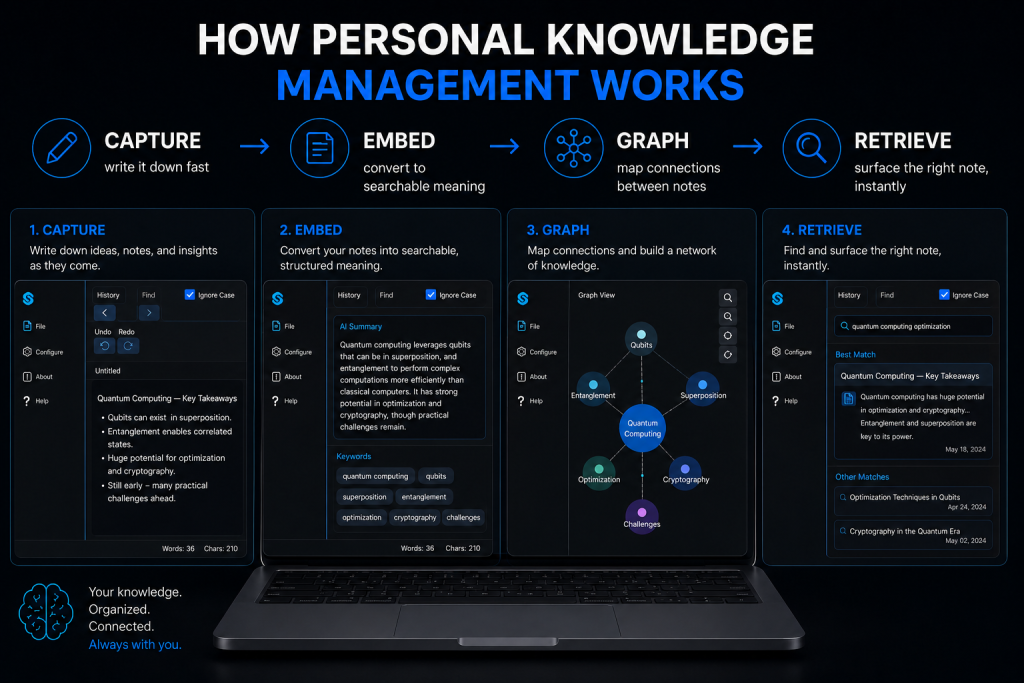
Socratus implements this architecture directly rather than bolting AI onto a legacy notes app. It runs semantic and exact-word searches side by side, so a query never fails just because the phrasing doesn’t match.
The Relationship Graph, Rendered Visually
In your workspace, Socratus will assign a relation score to each file, vis-a-vis the others. Tapping the relation tree icon displays the scores in an editable, color-coded graph that can be exported as an image for a presentation or to document the work.
In-Note Code Execution and Structured Tables
There is no need to have code, analysis and output dispersed between a terminal, a notebook and some other notes application; with Socratus Python is executed from within a note and all of it is contained in a single file. Smart tables further enhance the document by handling charting and performing the kind of calculations one would expect from a spreadsheet.
MCP: Turning Notes into Live Context for AI Agents
Socratus will make your notes available as live context for outside AI agents of the Claude, Cursor, or Codex variety by way of Model Context Protocol. There is no need to put in the manual work of going through menus, a simple command to an agent is all it takes to alter the app theme, reorganize a folder, or make edits to a file.
Building a Personal Knowledge Management Workflow That Compounds
The historical record provides a clear example. The sociologist Niklas Luhmann is evidence enough that this is not a software contrivance; he put together a physical instantiation of the system, an archive of cards he termed his Zettelkasten, and from it generated a vast amount of published material over the course of his career. When he died, there were 90,000 such cards in existence, not sorted into some inflexible category but tied to one another by index number. graph
It is a straightforward lesson: adopt a system, be quick to capture and unceasing in your linking, and put retrieval to work rather than relying on memory. In software terms, you would do well to stick with a tool for ninety days or more before making a change. Jot down an idea as it comes to you, no matter how messy. Allow the relationship graph and semantic search to make the connections so there is no need to cross-reference each note by hand. A new project will bring back old notes when you call for them.
Frequently Asked Questions About Personal Knowledge Management
What is personal knowledge management in simple terms?
One might define personal knowledge management as the means to use what has been read, learned, or thought of by capturing and organizing it. It is an exercise in four jobs: capture, organize, retrieve, and synthesize.
What is a vector embedding, in plain terms?
As for vector embeddings, they are the numeric form of a note’s meaning. Where two notes are alike in meaning, their vectors will be as well, allowing for semantic search.
Does personal knowledge management require AI?
AI does away with most of the drudgery. Discovery and making connections are taken care of by AI-powered notes and grounded chat, sparing one the hours of manual tagging that would have been required before.
Is a knowledge graph necessary for personal knowledge management?
Not strictly, but it makes relationships between notes visible instead of something you must remember and guess.
Are local-first tools safer for personal knowledge management?
Generally, yes. Local-first notes paired with file-level, edge-based encryption reduce dependence on any single vendor’s servers or security practices.
The Bottom Line
In a way, what one would call a contemporary personal knowledge management system is an information retrieval engine put behind the façade of a notes application. There is no longer an exact-match keyword search; instead, embeddings are used, and folder trees have been replaced with graphs. And where a search bar once gave you back nothing, but what you could spell, you will now find retrieval-augmented generation.
Socratus has made all that a part and parcel of a second brain. It is open to your AI agents via MCP and the workflows of its AI note-taking, yet it runs locally with file-level encryption. This architecture has been in enterprise search for some time; it has simply taken this long to put it on an individual’s desk.
Manage your notes like a pro. Download Socratus now.