
Socratus
Socratus is a local-first knowledge app that understands your notes, not just stores them. Socratus is a product of FiveRivers Technologies.
What is Socratus.|
Most notes apps were built to store information, not to understand it. Knowledge gets buried in folders, connections go unmade, and insights fade over time. Socratus takes a different approach. It treats everything you write as part of one connected layer of knowledge, so your notes become easier to search, question, and build on as they grow.
Everything runs locally by default. You can ask questions across your notes, search by meaning rather than exact words, and see how your thinking links together in an interactive graph, all without sending your notes off your device.
Who it's for.|
Socratus is built for people whose work depends on ideas that build on each other over time.

Researchers & Academics
Connect literature notes, trace themes across sources, and pull answers from your own reading with citations.

Writers & Knowledge Workers
Draft in a focused editor with research beside your writing and related notes surfacing as you work.

Students
Turn course notes into a study system you can question directly. Review means asking, not scrolling.

Privacy-minded Professionals
Handle sensitive material with encrypted notes that stay on your device.

Lifelong Note-takers
Build a personal knowledge base that grows more useful, not more cluttered, over the years.

Developers & Technical Teams
Keep documentation, snippets, tables, and structured notes together, formatted the way technical work needs.
What you can do with it.|

Ask across your notes
Pose a question, and Socratus answers from the files in your folders, showing where each answer came from so you can verify it.

Search by meaning
Switch between exact-word and semantic search to find the right note even when you forget how you phrased it.

See the connections
Explore an interactive knowledge graph of related notes, ranked by similarity, and export your knowledge map.

Write without friction
Work in a distraction-free editor with Markdown, dictation, find and replace, adjustable font size, and structured tables with calculations and charts.

Keep it private
Encrypt sensitive notes with QEncrypt, manage your keys, and store portable plain-text files locally or through your own cloud.
How to use it.|
Getting started takes minutes, and each step builds on the last.
01
Sign in with a link
Open Socratus and enter your email. A secure link signs you in, no password to remember.
02
Add your notes and files
Create notes or import documents into folders. Everything is stored locally and stays yours.
03
Set up the on-device model
Download the model once so AI answers, search, and suggestions run privately on your device.
04
Ask across your notes
Use AI chat and semantic search to get answers drawn from your own files, with sources shown.
05
Explore the connections
Open relations to see how your ideas link together and rediscover notes you had forgotten.
06
Keep it private
Encrypt sensitive notes and choose where your files live. Sync through your own storage when you want to.
Why Socratus.|
A quick look at how a connected, local-first workspace differs from the tools most people use to store notes:

AI retrieval from your notes: Built in, rather than limited or handled by an external service.
Semantic understanding: A core feature, rather than keyword matching alone.
Knowledge graph exploration: Interactive, rather than basic or plugin-based.
Structured tables with calculations: Included, rather than limited.
Local-first architecture: A core principle, rather than a partial one.
On-device AI that works offline: Supported, rather than rare.
Encryption support: Integrated, rather than an optional add-on.
Privacy & Security.|
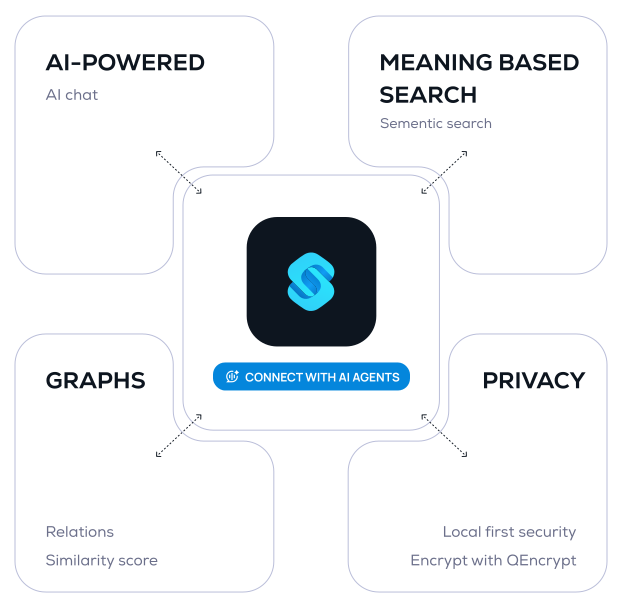
Socratus is built around a local-first architecture. Your notes, files, folders, and the graph between them stay on your device by default and work offline. The on-device model answers from your notes without sending them to a server. You can encrypt individual notes with QEncrypt and manage your own keys, and your files remain portable plain text you can open and move at any time. You decide what leaves your device. Cloud storage and external AI providers are optional and stay off until you enable them.

Local-First Promise
We never track your thoughts, parse your notes, or monetize your private database. Everything stays local.
Simple, Transparent
Simple pricing. No subscriptions. No lock-in.|
Free
Free
For individuals who want a fast, local-first place to think and connect ideas.

Up to 10 active files
Full access to every core feature
AI retrieval and semantic understanding
Interactive knowledge graph and MCP Connections
Structured data tools and smart tables
Local-first storage with encryption
Free forever for personal use
Pro — 1 Year
$99.99
For professionals and power users who need an unlimited workspace.
Unlimited active files
Every advanced feature
AI retrieval, graph view, MCP connections and smart tables
Local-first privacy with encryption
Commercial usage rights
Free updates for one year
Priority access to new features
Pro — 3 Years
$249.99
For those who want long-term access at a lower yearly cost.
Everything in Pro, extended to three years
Unlimited active files
Commercial usage rights
Free updates for three years
About $83 per year versus $100 billed annually
Priority access to new features

Get started
Your notes should do more than store information.|
Download Socratus and turn your knowledge into a living system that grows with you.
