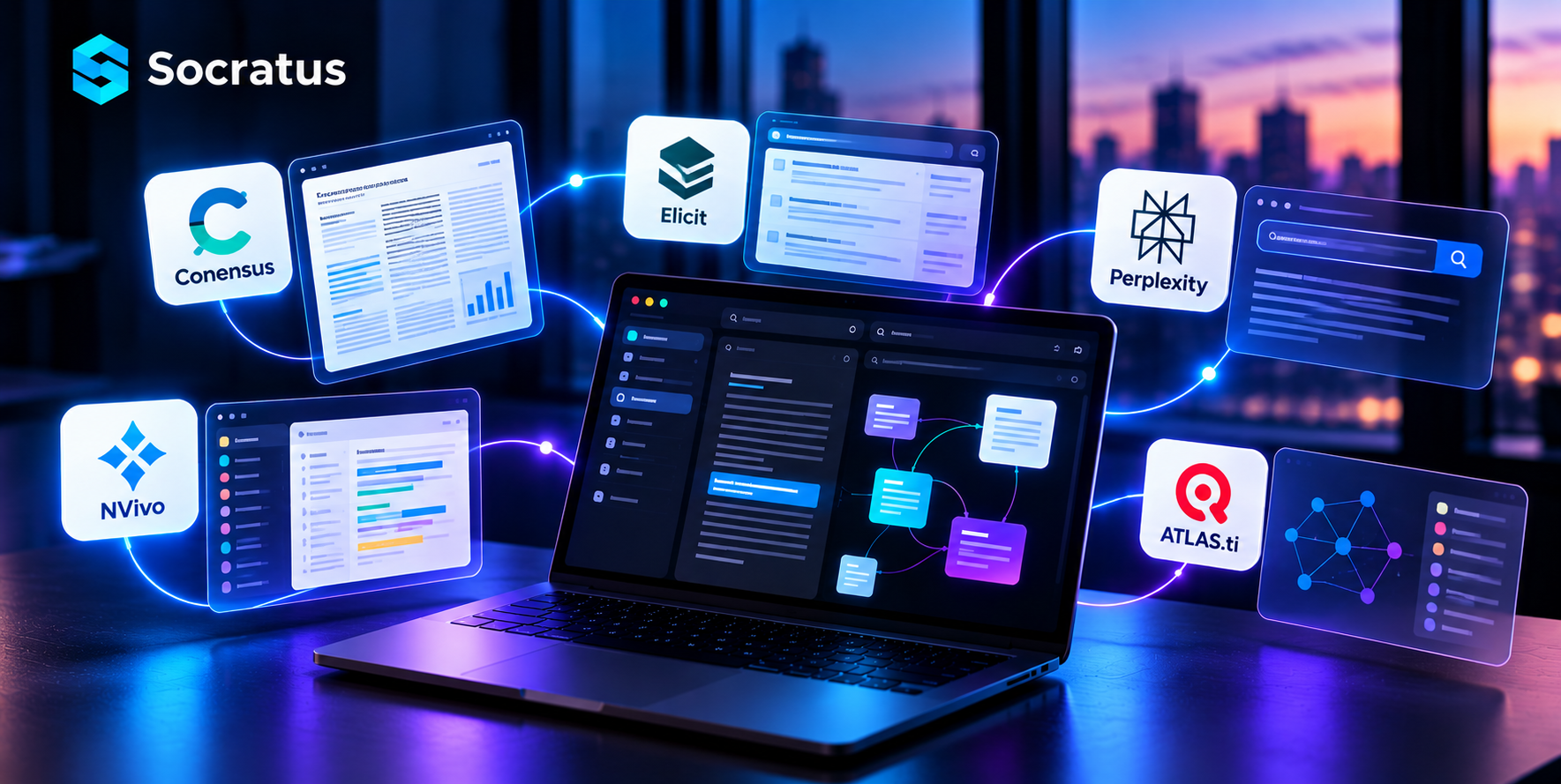
Best Evernote Alternative for Connected Note-Taking in 2026

There was a time when Evernote was the undisputed king of note-taking. For many, it was the obvious spot to put down an idea, clip something from the web or file a document in simple fashion.
But that has been the case for some time now. Since Bending Spoons made its acquisition of Evernote, one sees higher prices and less to be had on the free tier. It is no surprise that a good number of veteran users have moved on.
That leaves one to wonder: what is there out there that can truly stand in for Evernote?
The answer is not so straightforward, as not all Evernote Alternative are created equal. You will find tools that are nothing but fast, while others make their pitch on structure, AI or the ability to collaborate.
This guide lays out the best of what is currently on offer in no uncertain terms. It is meant to show what a properly connected app should be doing these days, and to deal with the actual trade-offs rather than any marketing spin.
Why People Look for an Evernote Alternative Right Now
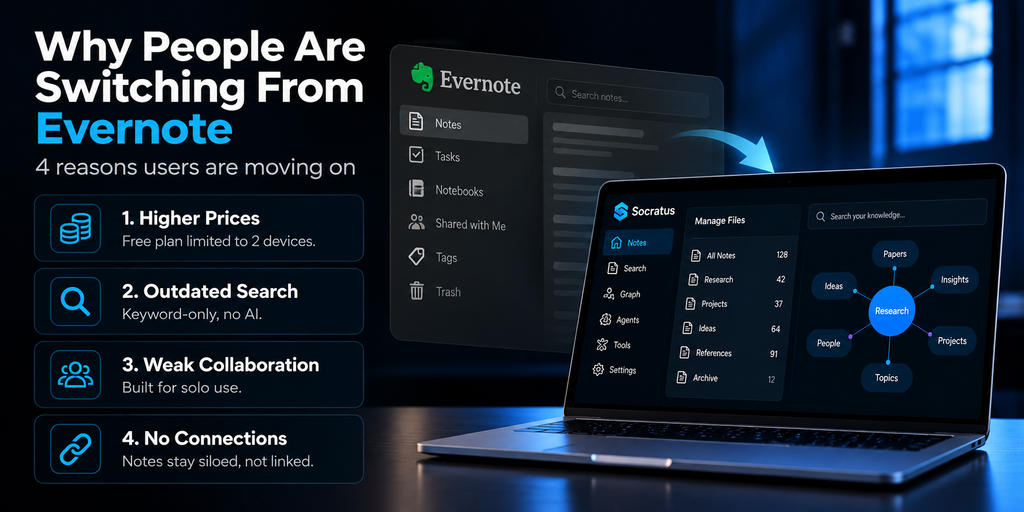
Several clear problems keep pushing users toward something new.
- Rising Prices and Shrinking Free Plans
If one were to ask former Evernote users what put them off, the answer is invariably a matter of cost. The free tier has been pared down to a maximum of two devices, which was enough to ruffle the feathers of casual note-takers accustomed to having their work in sync on a phone, tablet and laptop.
Then there are the paid plans, which have seen their prices climb. For a good many, the expense no longer seemed justified by the value on offer.
- Outdated Search
Longtime fans would be the first to tell you that search quality is an issue. With Evernote, the tool has been content to rely on keywords in a straightforward fashion; it will match the exact word put in but does not go so far as to grasp the meaning behind it.
These days one finds that the competition provides semantic search with an ability to read context. AI-driven retrieval is all but the standard now.
- Weak Collaboration Tools
When it comes to working as a team, one of Evernote’s shortcomings is hard to miss. The application was designed with the individual in mind, and that shows. It has never made much of a virtue out of real-time editing or shared workspaces.
Consequently, any business for which such capabilities are a must will tend to make an early move to a more comprehensive platform.
- No Real Connections Between Ideas
When it comes to working as a team, one of Evernote’s shortcomings is hard to miss. The application was designed with the individual in mind, and that shows. It has never made much of a virtue out of real-time editing or shared workspaces.
Consequently, any business for which such capabilities are a must will tend to make an early move to a more comprehensive platform.
What to Look for in a Second Brain App
A “Second Brain” is more than just a fancy term. It refers to a system that stores your thoughts, links them together, and helps you retrieve them later with ease.
A strong connected note app should offer these four things.
- Fast, Meaning-Based Search: A good search will get the meaning of what is put in front of it, not just the keywords. That is how one can come by an old note without having to recall the precise phrasing.
- Connections Between Notes: Then there are static folders, which have a way of making information disappear. With backlinks and graphs you can put your hands on that data in no time.
- Local-First Privacy: There is also a growing preference for keeping data on one’s own device these days, something that has taken on added importance given the changes at Evernote to their policies and prices.
- Flexibility in One Workspace: And as for the tools themselves, the finest ones let you work with text, tables, code, and AI chat in one place. There is no point in letting five separate apps get in the way of your thought process.
Top Evernote Alternatives Compared
Here is a closer look at the strongest contenders on the market today.
Notion
For teams in particular, Notion is an effective substitute for Evernote.
- It brings pages, tables, and straightforward project boards all to a single location.
- The platform has its share of appeal with teams thanks to the collaboration features and an extensive selection of templates; once on board, new members can make their way into a workspace and start contributing right away.
It is the ideal solution when several people must be editing in the same space at once.
There are some drawbacks to consider, however. New users will run into a certain level of complexity from the outset. And by default, one should note that data is kept in the cloud.
Obsidian
For those in the market for complete command of their files, Obsidian is hard to resist.
- The program keeps notes in plain text and steers clear of any proprietary formats.
- Then there is the matter of its graph view; as a point of comparison with other alternatives, it is quite distinctive in the way it lays out the visual connections between ideas.
It is not without its drawbacks, however. One must put in the time for setup, which will likely mean installing a few extra plugins. Adjusting the settings can be something of an undertaking.
In the end, it is the ideal tool for a solo writer who puts a premium on owning his or her files for the long haul.
Microsoft OneNote
For a good many users, OneNote is still the free option of choice.
- It is particularly at home on Windows and will handle handwriting or images in a free-form layout without any trouble.
- Then there is the matter of syncing; since most are already using OneDrive for that, it is a seamless part of the package, as it is included with any Microsoft 365 account.
It is an ideal tool for those who want to put down casual notes in a free-form manner with no learning curve to speak of.
The one drawback is that it does not have the more advanced knowledge-graph capabilities that power users have come to demand.
Joplin
Being open-source and at no cost, Joplin has an appeal to those watching their budget.
- It is the sort of tool a privacy-oriented user would prefer, not least because there are no subscription fees to be had.
- The application will handle Markdown and can be synced with whatever cloud services one prefers; in that way it does not compel you to live within any single company’s ecosystem.
There are some trade-offs, however. The interface is more of a basic affair compared to the polish of Evernote, and web clipping is not as straightforward, requiring a bit of setup on your part.
Socratus: A New Kind of Evernote Alternative Built for Connected Thinking
Where most of the tools listed above will address a single aspect of the problem in isolation, Socratus is designed to take on the entire picture.
We have made it an intelligent companion for connected thinking by way of AI retrieval and a visual knowledge graph, with code execution right there in the application. And because everything is run locally, one can be sure that the data remains under one’s own control.
Who Socratus Is Built For
- Researchers who collect notes from many sources and need them linked together
- Writers who want AI help without giving up privacy or control
- Developers who want code and notes living in the same file
- Anyone who left Evernote over pricing, privacy, or outdated search
AI-Powered, Meaning-Based Search
Socratus does not depend on a simple keyword search; it applies semantic understanding to get at the meaning of things.
Put a question to it and it will look for context in your notes before replying with information drawn straight from your documents. In that way, it is like having an AI research assistant as part of your workspace.
One can put in a query such as “what did I write about pricing last month” and expect a proper response. There is no need to recall the precise wording since the AI is reading intent rather than just strings of text.
A Visual Knowledge Graph
Rather than browsing static folders, you see your notes as a connected network.
- Related ideas link automatically as you add new content
- Patterns and insights surface naturally instead of staying buried
- The system grows smarter as you add more information over time
- Clicking any node opens the note instantly, with no digging through folders
This graph view turns scattered notes into a map you can explore. Over weeks and months, it becomes a visual record of how your thinking has grown.
Structured Notes and Smart Tables
Socratus supports structured notes through built-in smart tables. You can run calculations and build charts without leaving your workspace.
- Track budgets, project timelines, or research data in one note
- Build simple dashboards without exporting to a spreadsheet app
- Keep numbers and narrative notes side by side, instead of in separate tools
In-Note Code Execution
Developers benefit here too. Python code runs directly inside notes, right alongside written ideas. Code, output, and notes all stay together in a single file.
- Test a script and document your findings without switching windows
- Keep a running lab notebook for data analysis or research work
- Share a note that includes both the logic and the explanation together
Local-First Privacy
Everything runs local-first, meaning your notes live on your own machine. They do not sit on someone else’s cloud server by default. For anyone who left Evernote over data concerns, this detail matters a great deal.
- Your notes stay private and portable, with no forced cloud upload
- Sensitive notes can pair with QEncrypt for extra file-level encryption
- You keep full ownership of your data, even if you switch apps later
AI Connectivity Through MCP
Socratus connects with modern AI workflows through MCP integrations. This turns your notes into live context for outside AI assistants and tools.
- Feed your notes into external AI workflows without manual copy-pasting
- Keep one knowledge base that powers multiple AI tools at once
- Stay compatible with newer AI assistants as the ecosystem grows
How Socratus Compares to Evernote
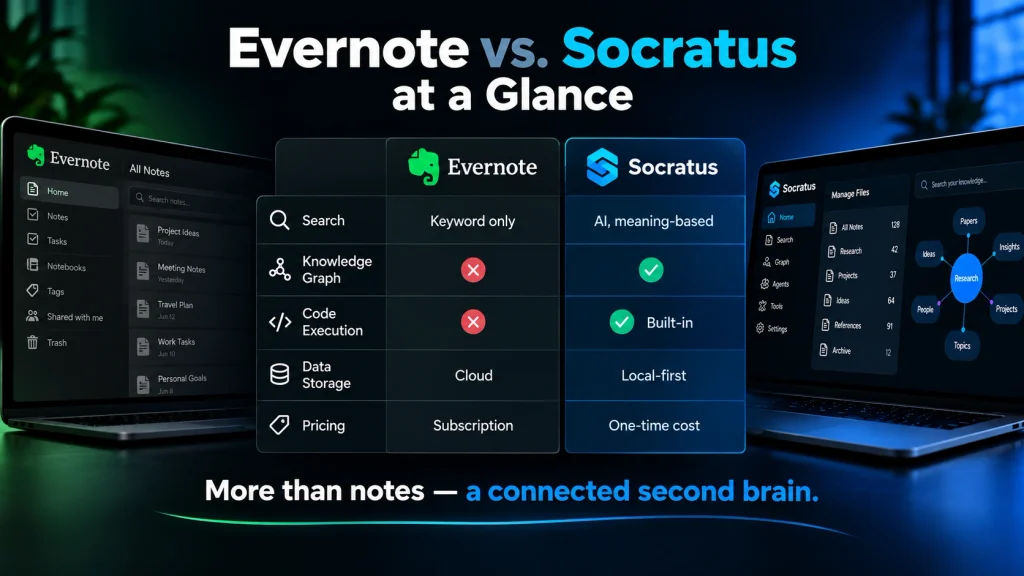
Simple, Transparent Pricing
- Free plan: up to 10 active files with full access to every core feature
- Paid plans: unlimited files plus commercial usage rights
- One-time cost instead of an ongoing subscription
- No confusing tiers or forced yearly renewals
You can explore the full feature set and download the app at socratus.app.
How to Choose the Right Evernote Alternative for You
There is no one-size-fits-all answer; the right tool is a function of your daily working habits.
- If team collaboration is what counts, Notion will probably serve you best.
- For those who prefer to have plain-text file ownership, Obsidian is the sensible option.
- OneNote is worth sticking with for free, unadorned notebooks on Windows.
- Joplin is a comfortable fit when open-source and budget are the primary concerns.
- And Socratus is hard to miss if you are after connected thinking, a live graph, and AI search.
Before coming to a final decision, put down your top three priorities on paper.
- Be it privacy,
- good AI search or
- solid team features,
see how they measure up against the apps above. It is a minor exercise that will save you time and spare you the trouble of an unwanted switch down the line.
FAQs About Evernote Alternatives
1. What is the best overall Evernote alternative?
It depends on your needs. Socratus suits AI-driven, connected thinking, while Notion suits team collaboration best.
2. Is there a free Evernote alternative?
Yes. Socratus, OneNote, Joplin, and Notion all offer solid free plans with real features.
3. Can I import my old Evernote notes?
Most tools accept Evernote’s .enex export file. Expect minor cleanup with complex tables or embedded files.
4. Which app works best for teams?
Notion remains the strongest pick for shared docs, boards, and real-time collaboration.
5. Which app offers the most privacy?
Socratus and Obsidian both use local-first storage, keeping your notes off external servers.
6. Is Obsidian hard to set up?
It takes more effort than Evernote. Expect to install plugins and adjust settings early on.
7. What makes Socratus different from other apps?
Socratus combines AI search, a visual knowledge graph, and code execution in one local app.
8. Do I need AI skills to use a tool like Socratus?
No. The AI works quietly in the background as you write and search normally.
9. Can I use more than one note app at once?
Yes, and many people do. A quick-capture app pairs well with a deeper knowledge system.
10. Which Evernote alternative is best for students and researchers?
Socratus fits well here, thanks to its AI search, code execution, and connected note graph.
Final Thoughts
With the way Evernote has of late, it is no surprise that many a devoted user has been driven to seek out something better. The good news is one can find some very capable options in today’s market to fill the void.
There is an alternative for nearly every requirement. Teams in need of shared documents and collaboration will be well served by Notion. Writers of a more control-oriented disposition might prefer the plain-text ownership of Obsidian. Then there is OneNote for the free-form Windows user on a zero-cost plan, or Joplin for the open-source adherent with an eye on the budget.
If you are after something more than a place to put your notes, Socratus is worth a look for its distinct approach. Its connected system brings together local-first privacy, a visual knowledge graph and semantic search so you can do some actual thinking with your notes rather than merely filing them.