How to Never Lose an Idea Again: Building a Digital Second Brain App
A good idea has a way of coming at the worst moment. It will strike in the middle of your commute or come to you on a call from which you are not free to step away. Then there is the one that occurs just as you are about to sleep, only to be gone by the time you wake up.
Before long you have notes scattered between two notebooks and four different apps, with some ending up in a “misc.” folder for want of a better place.
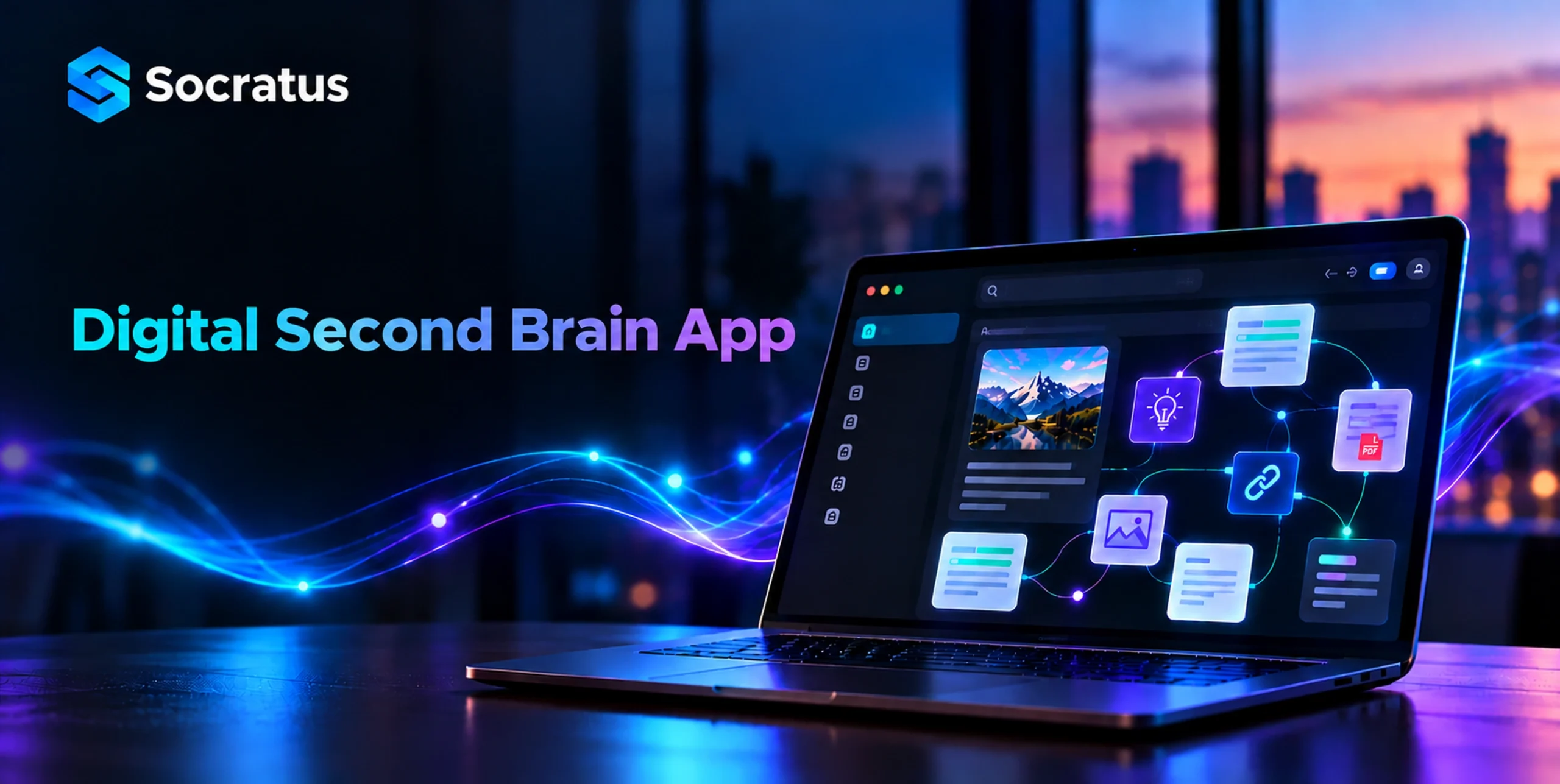
An app designed as a second brain gets to the heart of the matter. By storing meaning rather than mere words and making its own connections between like-minded thoughts, it keeps your earlier work at hand when the occasion calls for it.
In this guide, we examine the principles of personal knowledge management. We will cover the habits required to put down roots with a system and the features that matter, as well as how AI is altering retrieval. Here is a look at what gives a knowledge system its utility.
What Is a Second Brain App?
While the notion is not new, it was Tiago Forte who put the term on the map. David Allen put it in plain terms: let your mind be for having ideas, not holding them.
The brain is singularly good at one thing, making quick work of forming judgments and drawing connections. It is not so adept at the other task; details are a thing of the past in a matter of days.
An app for a second brain is there to do that work. In serving as an external memory you can rely on; it leaves your working memory free to think.
Three jobs define a real second-brain system:
- It captures anything worth keeping in a few seconds.
- It connects each note to related notes on its own.
- It retrieves the right note at the right moment.
Most note apps handle capture fine. Very few handle connection or retrieval well. That gap is exactly what a well-built second brain app closes.
Why Traditional Notes Fail
One can sidestep the usual pitfalls of a notes app by knowing its weak points. Four issues tend to crop up in nearly any system:
- Folders Force a Single Choice
For instance, a folder forces you to assign a single home to an idea. Yet a sound idea will frequently have a place in more than one spot. Consider a note on pricing psychology: it is as much at home in behavioural research as it is with product or marketing. Make a choice of folder and all too soon you have forgotten which one was used. The idea is lost to the hierarchy.
- Keyword Search Misses the Point
A basic search will only turn up the exact words, never the underlying concept. Put in “customer churn” and one is likely to overlook a note called “why people cancel.” The thought is there, but not the phrasing, so the original note is left to lie fallow while it must be put down again from recollection.
- Nothing Links Automatically
Then there are folders. They put files side by side without any connection between them. It is common for two pieces on the same subject to be kept separate for years. In such an arrangement, one insight does not inform another; you may amass more data, but your understanding of it is no better than it was.
- Capture Friction Kills the Habit
If saving a thought takes longer than thirty seconds, you skip it. Over months, that friction costs you hundreds of good ideas.
The Four Habits Behind a Working Second Brain App
There is no substitute for good habits, even if the tools are there to help. With Forte’s CODE framework one has a straightforward loop that will work with any tool.
- Capture What Grabs You
When it comes to capturing material, be it a quote or some meeting notes, a voice memo or an argument put down in rough form, save whatever elicits a response. There is no need to be thorough in the process; speed is what counts. Rely on a single inbox and a shortcut so that at the point of capture there are no decisions to be made.
- Organize by Actionability
With the PARA system from Forte, one can put notes in their place across four categories:
- Projects for any active work that has a deadline
- Areas for the kind of ongoing duties that do not
- Resources for material you may want to come back to
- Archives for what is done with.
It is a simple change, but it alters your filing habits; you end up organizing by utility rather than subject matter.
- Distill the Essence
It does not hurt to go back over some old notes and pick out the lines of substance. Put them in your own words and you will have a note that can be reworked in ten seconds when the need arises. Present you should do this for the sake of future you.
- Express What You Learn
But knowledge is only as good as its application once it is out of the system. Make a note into a decision or a proposal. The act of putting something to expression will reveal any holes in your logic and show you in short order where your understanding is sound.
How Graph Relationship Mapping Changes Retrieval
The modern way of doing things is a departure from the old folder tree. With a capable second brain app, one puts together a network in place of a hierarchy.
In this system every note is a node and the links that join them are edges; in effect they make a visual map of your thought process. It is a structure that forges a graph relationship between an idea you put down months ago and another.
Over time you will notice clusters coalescing around the subjects of interest to you, while any notes left on their own without a connection become readily apparent.
This kind of mapping brings three real benefits:
- Context travels with the note: Open one idea and see everything around it.
- Patterns become visible: Dense clusters reveal your real interests, not the ones you assume.
- Old work resurfaces on its own: A three-year-old note reappears exactly when a new project touches it.
You can build links by hand, and many people do. But it takes real discipline to keep up. AI-assisted linking removes most of that effort by suggesting connections you missed.
How AI Knowledge Management Tools Change Search
In the past, a search was only as good as one’s ability to recall the precise wording. These days it is the meaning that counts.
Take today’s AI knowledge management for instance: the software will parse your notes for their substance rather than simply the spelling. It has no trouble understanding that “customer churn” and “why people cancel” are two ways of voicing the same concern.
But when it comes to pitting one tool against another, there are three capabilities that stand out:
- Semantic Search
With semantic search, notes are found by intent rather than a precise match of words. Put in an imprecise description and the system will put the correct note in front of you, turning a hazy recollection into something you can work with. That is enough to bring back thousands of otherwise lost notes.
- Conversation With Your Own Notes
There are tools that allow for a more conversational approach: pose a question and have an answer drawn from your own files. Want to know what was decided last quarter? You will get a response with the source material to back it up. A well-designed system will cite the notes it is referencing so one does not have to take its word for it.
- Automatic Knowledge Discovery
But the most compelling aspect is the way it proactively uncovers knowledge. While you are in the middle of writing, the system will put relevant notes at your disposal without you having to look for them. As you put down a paragraph, a pertinent item from a year ago might show up next to it, making for connections that require no searching.
Privacy and Local-First Storage in a Second Brain App
There is more to your notes than simple reminders. They contain the like of client information and salary figures, as well as some half-baked opinions you would prefer to keep to yourself.
With a cloud-only solution one must put faith in the vendor with all of that. A local-first approach, by contrast, keeps your files on your machine to begin with.
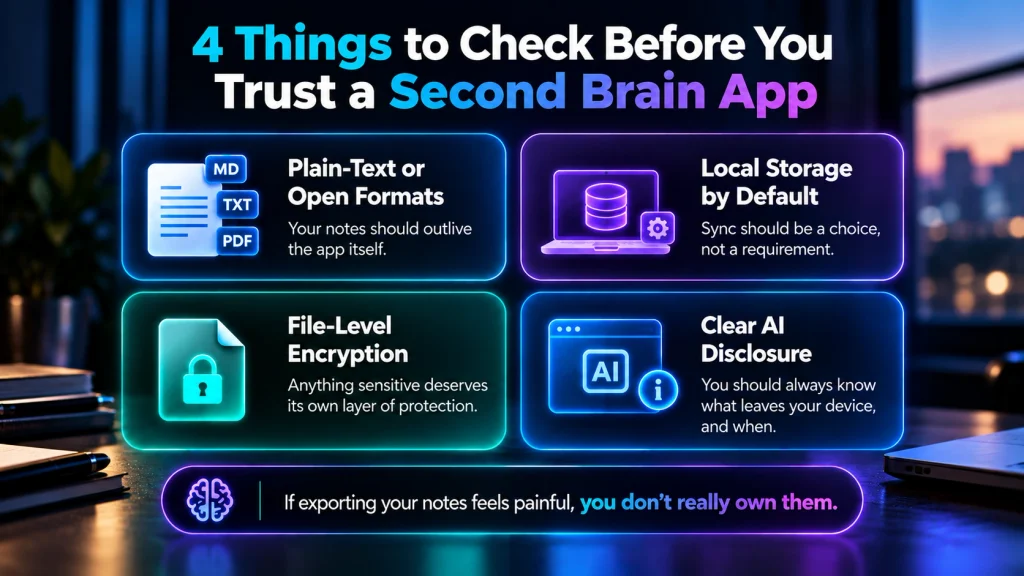
Before settling on a tool, be sure to check for these four safeguards:
- Plain-text or open file formats, so your notes outlive the app itself.
- Local storage by default, with sync as an option, not a requirement.
- File-level encryption for anything sensitive.
- Clear disclosure about what any AI feature sends off your device.
Portability protects you the most here. If exporting your notes feels painful, you don’t really own them.
Who Benefits Most from a Second Brain App
There is value to be had for nearly any professional who has to put pen to paper or make calls on the job. But it is four groups that will see the change most quickly.
Researchers and Students
Consider the research: a given course can only scratch the surface of what is out there. One is left with an accumulation of papers, quotations and the odd half-baked critique. A networked approach puts an end to that by tying your sources directly to the argument at hand.
When the time comes to write, it is more a matter of putting things together than having to invent from whole cloth.
Founders and Consultants
There is a constant shift of context in client work. Pricing may be the focus one week, then it is all about hiring.
A system that is properly connected will hold onto that context for you, so when a project is reopened the reasoning is there to be had in a matter of seconds.
Engineers and Analysts
Then there is the technical side where prose, code and results are intermingled. To put them in three different tools is to break the thread of the work. With notes that can execute code, an investigation is kept in one spot.
And when it comes time to reproduce an analysis from last month, it no longer feels like an exercise in archaeology.
Writers and Creators
There is a need for a substantial reservoir of raw material in any creative endeavour. Be it an odd line, a passing observation or some other fragment, it all goes into that pool.
With the right system in place to make the whole thing searchable, one will find there are far fewer blank pages to contend with.
Learn more about Socratus use cases here!
A Simple Weekly Review Routine
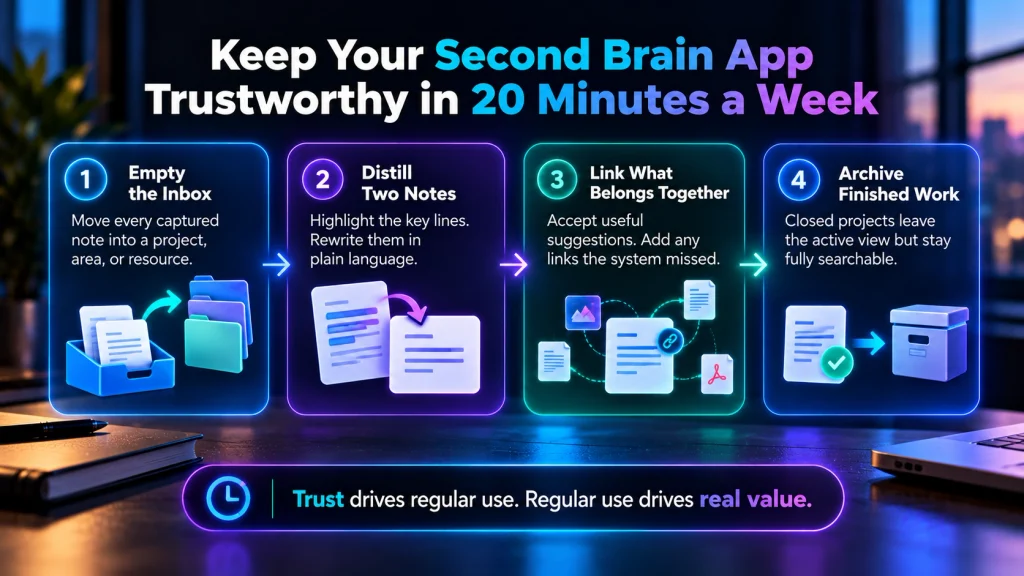
Then again, a system is prone to decay if left to its own devices. Put aside twenty minutes a week to see to it. Make the review brief so the habit can hold up even when the month is busy.
Work through four quick passes:
- Empty the inbox: Move every captured note into a project, area, or resource.
- Distill two notes: Highlight the key lines, then rewrite them in plain language.
- Link what belongs together: Accept useful suggestions and add any links the system missed.
- Archive finished work: Closed projects leave your active view but stay fully searchable.
This rhythm keeps a second brain app worth trusting. Trust drives regular use, and regular use drives real value over time.
A Real-World Example: How Socratus Applies These Ideas
There is value in looking at these principles as they are put to work in a tool. Take Socratus, for instance. Its entire design is predicated on making connections, not merely storing data.
Within the app, a note is more than an entry; it is a node in a knowledge graph that is connected to the rest. As one writes, related notes are linked without any need for manual filing.
The search is semantic in nature, meaning even an imprecise description will turn up what you are after.
You can execute code from within a note as well, keeping your reasoning and analysis in the same spot.
But the tool is not the point. What matters is the pattern of capturing and retrieving by meaning.
Any application that follows this approach will address the very problem set out in this guide.
Frequently Asked Questions
Is a second brain just a note-taking app?
Not at all. You have to distinguish between a note app, which is for storing text, and a system that is properly connected; the latter is what holds the relationships of your ideas and allows you to call them up by their meaning.
How long does setup take?
To get the basics in place will take an hour or so. Select your tool, put in four general categories and a capture shortcut of some kind. Do not expect any depth on day one, that is something you put in over the course of several weeks.
Do I need AI features to make this work?
A robust system can be put together by hand, but once a library has a few hundred notes in it, the hours you put in are better spent on semantic search and suggested links.
What if I already use Notion or Obsidian?
As for what to do with your current setup, stick with what is working. It is wise to export your notes and see how well they retrieve in a new environment before making a complete changeover.
How many notes before this pays off?
The habit is of greater importance than the tool until one gets to about 200 or 300 notes; that is when most will start to see the real compounding effect.
Start Small with Your Second Brain App
There is a certain normality to the way ideas slip away, but the situation is easily remedied. What is needed is a combination of a habit with little friction and a tool that has some sense of meaning.
Make it a point to start small this week. Take an active project and put all your thoughts on it in one inbox. Come Friday, have a look through it. Put in some links for the notes that are related and you will see clusters begin to form. In no time at all, say a month, the process of retrieval will be effortless rather than a source of frustration.
Your tools should also be ones that honour your ownership. Plain files and local storage with simple export options ensure your knowledge remains yours for the long term. Let the software do the work of remembering via semantic search or automatic linking.
As for a second brain app, it is not there to think on your behalf and ought not to. Its job is simply to have your best thinking at hand when a problem presents itself.