AI Note Maker: How To Streamline Your Student Life 

AI Note Maker Streamline Student Life

How you organize your notes isn’t only about them looking tidy; it really changes how successfully you understand, remember, and use what you’re studying. And as lectures get harder, lots of students find their files all over the place, forget what they thought, and don’t have good ways of going over things.  

This is where SmartNotes, an AI note-taking tool, comes in to make everything much simpler. 

You won’t have to use different apps or a pile of notebooks with SmartNotes. It gives you one main place for creating, changing, and saving all of your notes with ease. It uses easy-to-understand labels, quick searching, and a smooth way of handling files, meaning your information is always easy to locate.  

What’s even more important is that it doesn’t make things overly complicated.  

SmartNotes is designed to be understandable and easy to use, to help you get things done without being sidetracked. Because of this, students can develop a way of doing things that helps them with what they need to do each day and with doing well in school over the long haul. 

What Makes an AI Note Maker Different from Traditional Notetaking? 

When you take notes the usual way, it’s easy to get lost in keeping everything in order. But an AI note maker does a lot of the organization for you, and gets your work done quicker and with less effort. 

With SmartNotes, you can: 

  1. Organize notes using folders and subfolders 
  2. Automatically connect related notes with smart tagging 
  3. Search across all files instantly 
  4. Work across cloud storage and local files in one place 

SmartNotes isn’t like many simple apps; it is designed to be easy and adaptable. It keeps everything as simple text, so you won’t be tied to a specific program or have to deal with difficult file types.  

Step-by-Step: How to Organize Notes Like A Pro 

1. Centralize All Your Notes 

It’s best to have everything together in one spot. Jumping from one application to another or between several notebooks makes you lose time and makes it easier to misplace things you need.  

SmartNotes lets you organize all your files, those on your computer and those on the internet (in the cloud), all inside of one tool. 

This centralization ensures that: 

  1. You always know where your notes are 
  2. You can access them from anywhere 
  3. Your workflow remains consistent 

2. Use Folders and Subfolders Effectively 

Organizing data starts with structure. An AI note-taking app makes it easy to structure data, allowing you to create folders and subfolders. 

For example: 

  • Main folder: Computer Science 
  • Subfolders: Artificial Intelligence, Quiz Preparations, Mock Papers 

This layered approach keeps your notes clean and easy to navigate. 

3. Let Smart Tagging Do the Work 

Smart note-taking method doesn’t make you label each note by hand; it uses smart tagging to show you relevant information automatically. Because of this, notes that are alike are tied to each other, you’re able to find relationships between different subjects, and you won’t have to do as much organizing.  

And as you continue using it, you’ll develop a more thoughtful, interwoven collection of knowledge. 

4. Use Search to Save Time 

It’s really annoying to have to look through your notes manually. SmartNotes, though, has a great search feature that looks through all your notes for you.  

You can get to whatever you need, a single word, a paragraph, or the general subject of something, almost immediately.  

This is particularly useful during tests because you need to find information very rapidly at those times. 

5. Take Advantage of Auto-Save 

Lots of people forget about how useful automatically saving is when taking notes. 

SmartNotes saves everything as you type, so you won’t ever have to worry about losing anything. This is good for your peace of mind and lets you really concentrate on what you’re writing without having to think about hitting “save.” 

6. Work Smarter with Multiple Tabs 

Students are commonly dealing with multiple subjects at the same time.  

SmartNotes lets you have lots of pages (tabs) open, and so you can work on multiple sets of notes at the same time. You’ll find this is especially helpful for comparing different topics, working on papers, or doing research. 
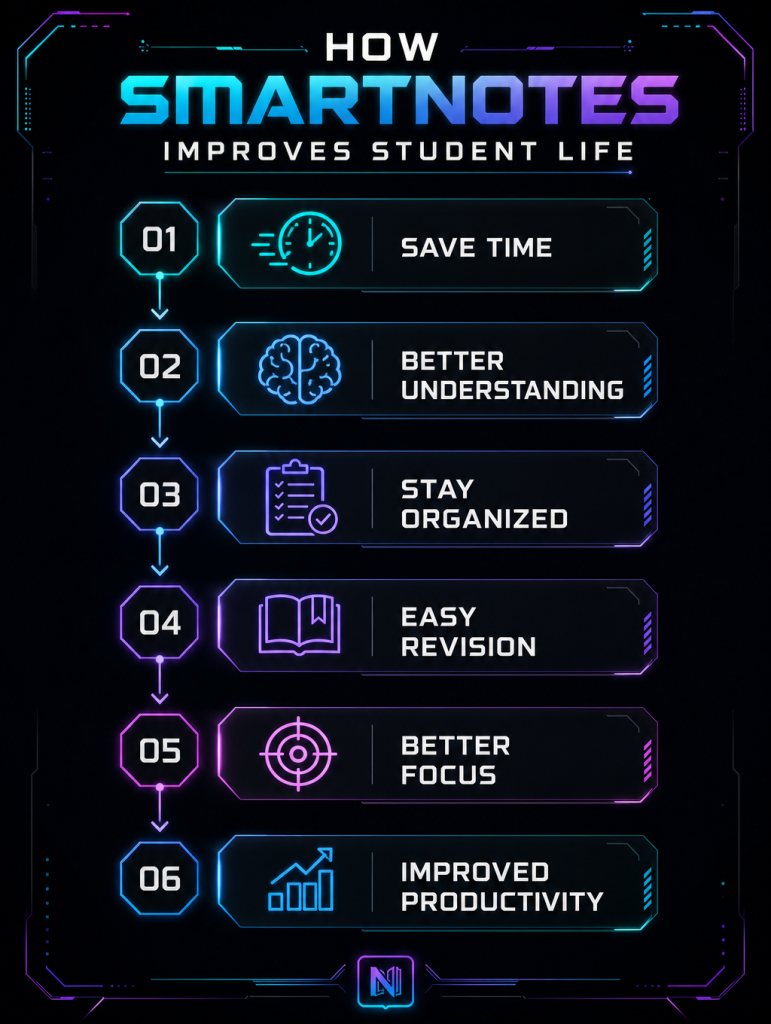
SmartNotes Improves Student Life

How SmartNotes Supports Smarter Learning 

SmartNotes does much more than just hold your notes; it fundamentally changes how you learn, understand, and remember things as time goes on.  

Rather than being a place to simply file things away, it’s a tool that will actively help you with your learning, keeping you organised, thinking things through, and improving how you study.  

Because it gets rid of mess and makes finding information easy, SmartNotes means you can devote more energy to getting your head around ideas, not just looking for them. 

Because this tool keeps everything organized and searchable, you can: 

  1. Review notes faster without wasting time scrolling through multiple files or folders.  
  2. Connect ideas more effectively by linking related topics and building a clearer understanding of subjects. 
  3. Stay focused on key concepts and avoid letting unnecessary details overwhelm you.  

Beyond Class Notes: AI Meeting Notes and More 

SmartNotes is not limited to academic use. It’s also highly effective for managing meeting notes and project discussions

For instance, you can: 

  • Record key points from group meetings 
  • Organize action items 
  • Store project ideas in structured folders 

AI tools can even extract key insights and summarize discussions, making it easier to stay aligned with your team. This makes SmartNotes a versatile AI note taking app suitable for students. 

Common Note-Taking Mistakes (and How to Fix Them) 

Even with advanced tools, students often face challenges.  

Here’s how SmartNotes helps solve them: 

  1. Disorganized Notes: Without structure, notes become difficult to use. SmartNotes fixes these issues with folders, tags, and search. 
  2. Information Overload: Writing everything down can create clutter. SmartNotes helps you focus on what matters by keeping content clean and accessible. 
  3. Poor Review Habits: Many students don’t revisit their notes regularly. With a quick search and organized storage, reviewing becomes much easier. 

Why SmartNotes Stands Out 

There are many tools available, but SmartNotes focuses on doing the basics exceptionally well. It combines simplicity, flexibility, and smart organization without overwhelming users. 

Key highlights include: 

  1. Plain text storage with no lock-in 
  2. Seamless cloud integration 
  3. Intelligent tagging and search 
  4. Auto-save and change detection 
  5. Multi-tab workflow 

These features make it one of the best AI note-taking app options for students who want a reliable and efficient solution. 
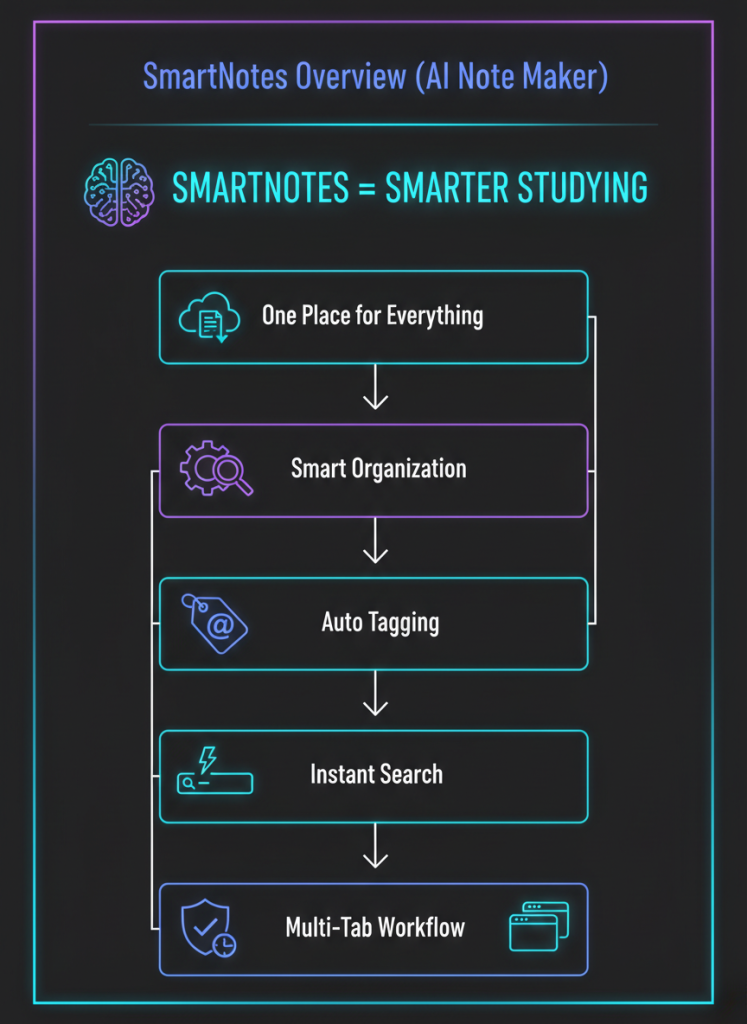
Smarter Studying - SmartNotes

Final Thoughts 

Doing well in school isn’t simply about putting in more hours studying, it’s about having a way to be steady and neat in your work. SmartNotes, an AI note-taking program, gives you what you need for this by making it easier to get information down, keep track of it, and go over it later.  

You’ll have a sensible place where everything is easily found and changed, instead of lots of files all over the place and ways of working that don’t do much. Smart tagging, quick searching, and being able to use it with cloud services mean your notes will continue to be helpful, for more than just one session or task.  

Also, as the way we learn changes, SmartNotes and similar programs allow you to adapt without making things overly complicated. It helps you with all of your aims at every point, whether you are studying for tests, dealing with assignments, or with notes from AI-powered meetings.  

In the end, selecting a good smart notes application can completely change how much you get done. With SmartNotes, being organised will happen automatically, and that is what the most successful students do. 

What’s waiting you to switch to AI note-taking tool?  

[Download the App] – Avail 14-Day Free Trial! 

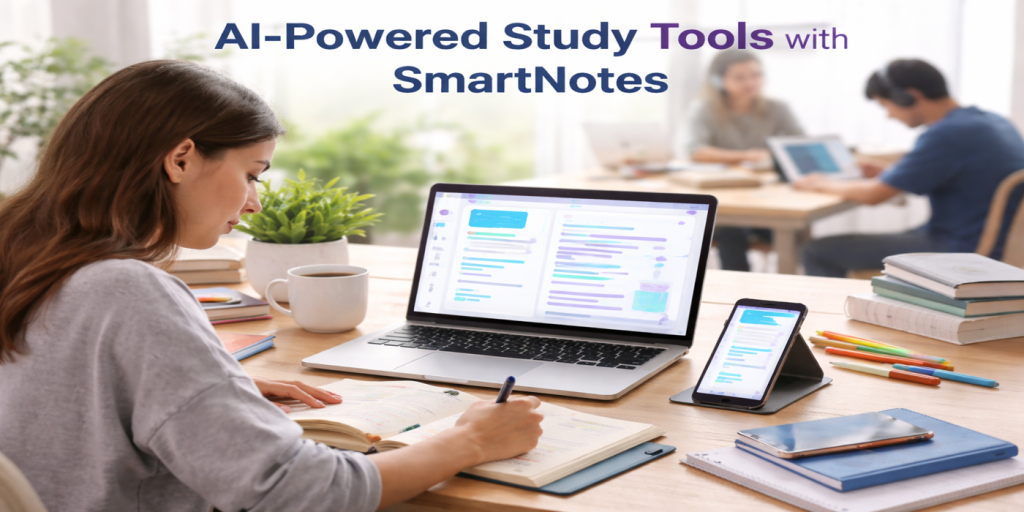
AI-Powered Study Tools with SmartNotes: A New Frontier in Learning

New Frontier in Learning - SmartNotes

SmartNotes is in the forefront of incorporating artificial intelligence (AI) into study aids in the quickly changing educational scene of today. SmartNotes provides an improved learning experience by utilizing AI-powered features that customize study materials to each user’s preferences, assisting users in improving comprehension and retention. With its customized teaching tools and flexible study schedules, SmartNotes is transforming the way we approach learning, regardless of whether you’re a professional, student, or lifelong learner.

SmartNotes: Your AI-Powered Study Assistant

SmartNotes is an AI-powered study partner, not just another note-taking app. SmartNotes uses natural language processing (NLP) and machine learning to identify your individual learning style and modify the information to optimize your learning. SmartNotes artificial intelligence (AI) enables it to deconstruct complicated study materials into manageable chunks based on your preferences and pace.

You interact with the material via SmartNotes rather than only studying it. The program makes sure you’re constantly on track by helping you manage study schedules, efficiently manage your time, and keep moving forward with your academic objectives. SmartNotes modifies its features to provide you with the most effective learning experience, regardless of whether you prefer visual assistance or audio explanations.

AI-Driven Customization: Personalized Learning at Its Best

SmartNotes capacity to provide personalized recommendations depending on your progress is what distinguishes it from other study aids. The app monitors your learning habits using AI algorithms, identifying areas that require reinforcement and recommending the best workouts to address them. This adaptive learning approach creates an engaging learning experience that is unique to you, making it simpler to comprehend difficult topics and remember information.

For instance, SmartNotes may offer you other explanations, more examples, or even change the difficulty of upcoming assignments if you’re having trouble with a certain subject. This feature guarantees that everyone gets the help they require to succeed and that no learner is left behind.

AI Companions in Education: More Than Just Notes

SmartNotes goes beyond traditional study tools, which concentrate on information delivery. It provides AI partners that act as both motivated allies and virtual tutors. These companions provide tailored support and feedback based on your emotional state and degree of engagement. This function makes learning more enjoyable and inspiring by lessening the sense of being overburdened with studies.

SmartNotes becomes an active participant in your education rather than a passive study aid. It creates a pleasant, self-driven learning environment where the emphasis is on developing confidence and sustaining motivation rather than just memorizing knowledge by evaluating your interactions and offering emotional support.

Anytime, Anywhere Learning with SmartNotes

SmartNotes transforms idle times into productive ones by enabling professionals and students to study at any time and from any location in an increasingly fast-paced environment. You can use SmartNotes to delve into your course materials when you’re traveling, waiting for an appointment, or just having some free time. You may easily study on your computer, tablet, or smartphone thanks to the app’s cross-platform compatibility, which guarantees that learning never ends.

Students can acquire and remember material during their everyday routines, not just during dedicated study hours, thanks to this on-the-go accessibility. Additionally, SmartNotes guarantees that you get timely feedback, clearing out any misunderstandings so you can quickly modify your strategy.

Transforming Education with AI-Powered Personalization

AI integration in SmartNotes aims to improve learning rather than only automate chores. SmartNotes transforms passive study into a dynamic, interactive experience by simplifying difficult ideas and adapting to each user’s pace and preferred method of learning. AI-powered study aids, such as SmartNotes, guarantee that every session is effective and productive by providing real-time changes and adaptable learning routes that match your academic needs.

With SmartNotes, traditional study methods give way to personalized, intelligent learning solutions. This shift represents the future of education, where technology empowers learners to engage deeply with their material, progress at their own pace and gain a thorough understanding of subjects through tailored support.

SmartNotes: A Catalyst for Lifelong Learning

After you graduate or finish your official education, learning never ends. The capacity of SmartNotes to facilitate lifelong learning is what makes it so beautiful. SmartNotes assists users in expanding and updating their skill sets as industries change and new knowledge is needed. SmartNotes offers the necessary tools to facilitate learning, whether you’re studying for professional examinations, learning a new programming language, or mastering a subject for personal development.

Regardless of the subject or field you are studying, SmartNotes makes sure that your learning experience is effective and customized by constantly adjusting to your progress. Because of its flexibility, SmartNotes is an effective tool for professionals who must maintain their competitiveness in a labor market that is changing quickly.

AI-Powered Feedback: Real-Time Adjustments to Enhance Learning

SmartNotes’ real-time feedback feature, which gives users immediate answers to their study materials, is a crucial component. This tool makes it easier for students to see what they have mastered and where they still need to develop. When you finish an assignment or quiz, for instance, SmartNotes instantly evaluates your responses and offers useful insights to help you pinpoint areas that require further work.

In addition to saving time, this feedback loop allows you to concentrate your efforts on areas that require improvement rather than squandering them on subjects you are already familiar with. One of the main characteristics of SmartNotes that distinguishes it from other study aids is its extremely flexible feedback system.

The Future of Learning with SmartNotes

Learning in the future will focus on comprehending and adjusting to new information rather than remembering facts. By offering customers a customized learning experience driven by AI, SmartNotes is setting the standard. The demand for flexible and intelligent learning tools like SmartNotes will only increase as our world becomes more digital and data-driven.

AI systems that can adapt to a student’s demands and provide the best study techniques at the appropriate moment are part of the future of education. SmartNotes is preparing professionals, students, and lifelong learners for the challenges of the future by tracking study patterns, offering real-time feedback, and customizing learning routes.

How SmartNotes Can Enhance Your Study Routine

AI-powered personalized learning pathways: Customize your study schedule to fit your interests and pace. Interactive feedback to help you stay on course: Get prompt feedback on your progress. Encouragement to increase your self-assurance: SmartNotes offers academic and emotional support. With cross-device compatibility, you may study anywhere, at any time, and never miss an opportunity to learn. Real-time feedback to make sure you grasp every idea: You can concentrate on areas that require improvement with the aid of immediate insights.

Unlocking the Potential of AI Tools for Enhanced Learning and Productivity

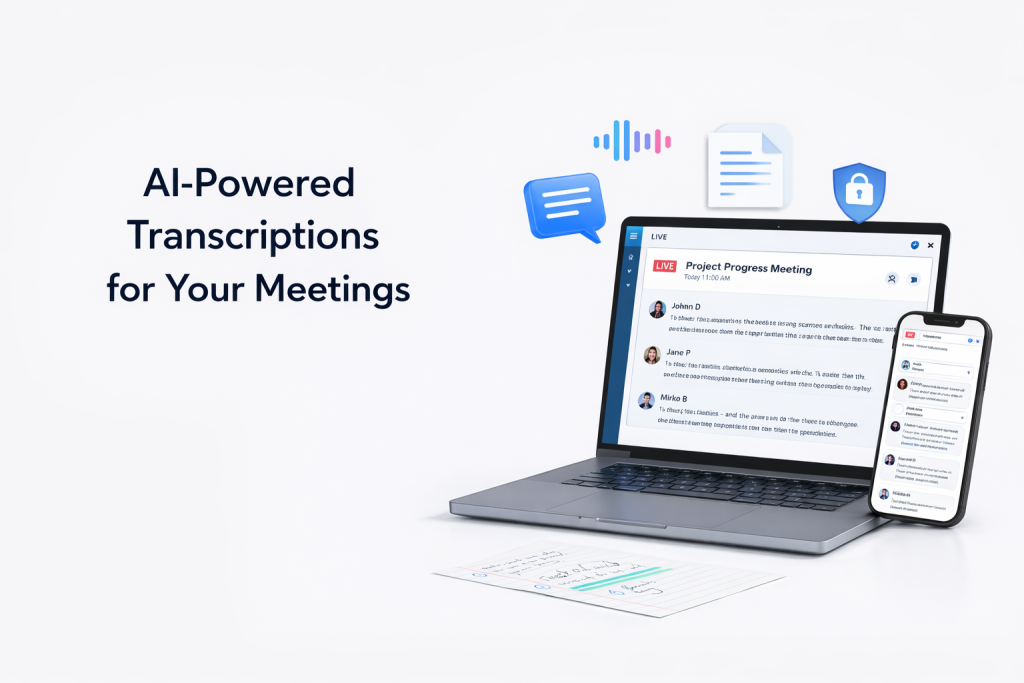
AI-Powered Transcriptions for Your Meetings - SmartNotes

These days, with everything being digital, artificial intelligence is completely changing how we find and arrange what we know. Smarter note-taking apps, AI that automatically writes out what’s said (transcription), and AI in learning materials are all making us more productive and helping us learn better. This article looks at how note-taking, organizing information and studying are all developing with the help of AI, and importantly, what it’s good for and how it can help.

AI Note-Taking Apps: Enhancing Productivity

AI note-taking apps are really changing how productive people are, giving us tools that are designed for how we work, and all in one place, for both school and jobs. And within all of these, Notion is a big one, and it’s getting lots of praise because you can do so much with it. In Notion you can make a workspace that is totally yours, which helps people work together and manage what they need to do, meaning teams can easily work with each other, share ideas and keep an eye on a project as it moves forward.

The AI within Notion makes using it even better, by helping you create, arrange and shorten what you’re writing. It’s brilliant at turning complicated thoughts into sensible notes, and so you can focus on what is important. The app sorts information for you and provides suggestions to get more done, and as a result, your work gets easier. It’s easy to use and very adaptable, so you can set up Notion’s tools to work with how you learn or work. Bringing notes and to-do lists into the same place means you won’t have to have lots of apps that don’t link to each other, and this makes your work flow much more easily. Students can get their studying and homework in order easily, and those in work can plan and do their tasks smartly. As AI gets more advanced, Notion will likely improve productivity and learning even more, and will become an essential part of life in our busy modern world.

AI Study Tools: Personalized Learning Experiences

AI in education has completely changed how students learn, making it much more suited to them and actually getting results. These programs adjust to what each student specifically needs, giving them a learning path designed to help them truly understand and remember things. A personalized learning system, to illustrate, figures out what a student is good at and where they struggle, then changes the material to be at their level. Because of this, students can spend longer on the areas they find harder and quickly get through things they already understand.

What’s particularly important is how AI creates learning schedules that are designed for each person. It looks at how a student is doing and what they like, and then recommends the best times to study to get the most done. This approach to scheduling saves time, and also helps improve grades by focusing on the ways of studying that will work best for that student.

How AI Tools Strengthen Learning and Academic Success

These AI tools for students do a lot more than simply set up a timetable. They tell you right away how you’re doing when you’re practicing something, so you can quickly correct mistakes and really lock in the right ideas. Getting that confirmation of your understanding immediately builds your belief in yourself and helps you do better in school.

In the end, putting AI into learning resources gives each student an experience that’s interesting, changes as they go, and is tailored to them. This doesn’t just mean getting good grades, but also preparing students to do well in the future, a future that’s changing quickly and where being able to adjust is incredibly important.

AI Note Organizers: Efficient Information Management

Notion and similar AI-powered note-taking programs are completely changing how we deal with lots of information. They use artificial intelligence to sort of automatically file and tag your notes, so you can locate what you need much faster. By using complex learning systems, these tools work out how you use things and suggest related material, making things much neater. Because of this, you won’t have to organize your information by hand, and you’ll have more time to actually think about it, instead of on the basic admin of all your data.

AI Powered Organization for Research and Daily Productivity

AI tools for managing notes are a big help in academic research. They neatly organize your research overviews, notes you’ve added to texts, and where you got your information. Because they keep everything tidy, students and researchers can find what they need quickly and spend more time on their actual work. What’s more, AI digital notes work brilliantly with things you use to manage projects, like to-do lists, calendars and other apps, getting you all the important details immediately.

For everyday life, having all your information in one place that you can get at on any device is really useful. Students and people at work both find it simpler to save and locate files, and this makes a definite separation between your home and work life. As a result, AI notes are almost essential for anyone wanting a clear and easy to use way to manage all their information.

AI Transcription Services: Streamlining Workflows

AI powered transcription services have really changed how we keep records of conversations in workplaces and schools. Otter.ai is a great example of this. It uses very advanced machine learning to turn spoken words into text in real time, and it does so extremely accurately. This makes it easy for people to get a record of and go back over what was said. Compared to just taking notes by hand, which can miss important things, AI transcription makes sure everything is saved, which leads to better, more thoughtful decisions.

Balancing Privacy, Accessibility, and Productivity in AI Transcription

Many people are still very worried about privacy when using AI programs that are meant to help you get things done. Users are still unsure about keeping their confidential information safe and how it might be wrongly used. Otter.ai deals with these problems by using strong encryption and following privacy rules to the letter. But, it also uses the data after it’s been handled to continuously make its voice to text work more accurate.

For businesses, AI which automatically types out what’s said during a meeting makes meetings go faster by freeing people from having to write everything down themselves and letting them truly participate in the conversation. For students, these programs offer a written record of what is said, helping them grasp and recall harder topics. Because of this, AI powered transcription isn’t just speeding up how we work, it’s also making information easier to get to, and helping more people have a good learning experience and communicate professionally.

AI Flashcard Generators: Reinventing Revision

AI is really changing the way students get ready for tests and study. These educational resources, which are built with complicated AI, make flashcards for you. What’s more, they use complicated calculations to create quizzes to fit how quickly you learn and what you need to work on, and that helps you memorize and remember things better than old-fashioned studying. These AI learning sites use ‘spaced repetition’ (breaking up your studying with gaps in between) to have you go over information at the moment you’re about to forget it, and this makes your learning stronger and you’ll remember it for much longer.

Personalized Learning through AI-Powered Flashcard Solutions

The best thing about these AI learning tools is how readily they change what they teach to match how well a student is doing. If you’re struggling with something, the system notices and shows you more of that material in your next session. This way of learning for each person doesn’t just help you understand, it also makes you feel more sure of yourself as you actually see you getting better. They’re not like normal, unchanging sets of flashcards, these smart tutoring systems get better by using your responses to shape each study session and make it specific to you.

Plus, students can get at these online flashcard applications on all kinds of devices, so it’s really easy to fit studying into life. You can go over things on the bus, during short breaks at school, and with this adaptability, you can use as much time as possible for studying. And as AI in education gets better at understanding how people learn, these flashcard makers will become even more easy to use and designed for your needs.

Integrating AI Tools for Comprehensive Learning Solutions

Because of AI in education, the way we learn is changing to be more of a unified, personalized experience. Smart note-taking apps are really good at turning complicated information from lectures or reading into something clear and organised. They’re designed to pull out and shorten the most important facts, so students can concentrate on getting the material, rather than on the actual note-writing. These tools use AI to understand speech and create accurate written summaries from what is said, which makes things easier to understand and gives you better resources for studying. What’s more, they fit in perfectly with other AI for learning, and digital flashcards, to give you a complete way to learn. All of these AI programs working together give students a really strong way to be involved, to remember things, and to check how well they’re doing.

Revolutionizing Education with Automated Note-Taking and AI Learning

When students use automated systems to record notes in class, it’s easier on their brains. They can focus on really understanding difficult ideas without having to worry about writing everything down by hand. This combination of taking notes and learning feels more like one thing, and it’s moving us beyond typical ways of teaching to change how we learn best. As these smart learning tools get better, we’ll likely see note-taking apps that understand the context of what’s being said and adjust to how each student learns, opening up even more possibilities for education. The goal of all this is to make learning about more than just remembering facts, to help students truly understand things and be prepared for the problems of today’s world.

Conclusion:

AI is really changing how we learn and get things done. It’s providing fresh ways to make all sorts of things easier, fit them to our needs, and generally do them better. You can become much more effective by using smart note-taking apps, AI learning materials, and transcription services that are driven by artificial intelligence. Using these tools will help us move toward a future where learning is more accessible, more interesting, more streamlined, and ultimately leads to you remembering more and being able to do more with what you learn.


Boost Your Productivity with AI-Powered Note-Taking Tools

AI Powered Note Taking App - SmartNotes

In our rapidly evolving digital era, maintaining order is essential. Artificial intelligence-driven note-taking applications are transforming how we capture, organize, and leverage information. From intelligent meeting assistants to AI-powered transcription solutions, these innovations present effective ways to simplify processes and boost efficiency through artificial intelligence. Let’s dive into the ways these smart AI-based note management software can elevate your note-taking experience.

The Evolution of Note-Taking: From Paper to Pixels

The way we take notes has really changed: we’ve moved from using paper to using digital versions, and this has completely altered how we write down and understand information. Because of this move from old ways to electronic note-taking on things like apps, we’re now seeing a lot of new ideas, especially using artificial intelligence. These newer, smarter tools let you improve your note-taking, being much faster and more accurate, and making notes easier to get to for you or if you’re working with others. Google’s NotebookLM is a great example of this progress, turning speech into text, summarizing the important ideas, and even offering a way to get a quick, short overview of long talks by using your voice.

Why AI Note Management Is the New Standard

Getting information is now much easier with this update, meaning you’ll always have what you need and are less likely to make errors. And machine learning in digital notes is constantly getting better at what it does, improving each time you use it and being essential to most jobs now.

Because of all the changes AI is making to things that help you be productive, the focus isn’t simply on having your data anymore, but on actually understanding it and using it. The benefits of AI in managing your notes – how quickly things happen, how correct they are, and how they work for everyone – make older methods seem out of date, and they’re really changing how we deal with meetings, classes, coming up with new ideas, and all kinds of work.

AI Meeting Assistants: Streamlining Collaboration

Cluely and Otter.ai are really changing online teamwork, and how we get things done. They’re AI helpers for meetings, meaning they type everything out as it’s said, and then automatically make notes for you. This makes online meetings much more efficient. As we move away from old-fashioned ways of jotting things down and towards digital options for work, these AI powered platforms for digital notes meet the needs of today, being quicker and more accurate at writing down what’s discussed.

Cluely’s Shift Toward Reliability

People initially weren’t happy with Cluely when it first came out, because they were worried about how it handled personal information. However, Cluely has changed and is now a trustworthy tool for meetings. They directly dealt with those first privacy issues with big improvements to the software and by being very open and easy to understand in their rules for users. Now, Cluely is both dependable and correct, helping teams get a true record of what happened in meetings, plus helping with what to do afterwards using smart organization of notes.

Otter.ai is a really popular option and does a great job of turning spoken words into text immediately, something teams in different places will find extremely useful. Because it makes full notes so quickly, it cuts down on misunderstandings and makes sure everyone on the team has the same understanding, improving how they talk to each other and work together. This clever, AI powered program for managing notes allows people at work to pay all their attention to what’s being said during meetings, rather than being interrupted by having to write everything down themselves. All of these AI services for writing things out from meetings show how flexible and efficient you need to be to do well in the fast moving work world of today.

AI Transcription: Accuracy and Privacy Concerns

AI has really changed how we turn spoken words into text, and it’s made things far easier to access and document. Otter.ai is one of the leaders in this, being a very reliable way to get a transcript of something being said in real time. This kind of system is extremely useful for academic transcription programs and in business meetings, where getting everything said down correctly is essential. They help people keep up with what’s being said, which is great for people who are hard of hearing, or those for whom the language isn’t their first. Plus, having the conversation in writing is a huge help when going over things later, and for being certain you don’t miss important details.

Privacy, Consent, and Data Security Challenges

However, even as automatic transcription gets better, it’s not without its issues. How AI transcription deals with your data is a significant hurdle, specifically how that data is looked after and where it is kept. Otter.ai, in particular, has had its data handling practices questioned. These services are convenient, however, businesses and individuals both need to think about the dangers of confidential details being processed and then saved on someone else’s system. Legal requirements for getting permission to record also bring up discussions of rights and being private. It’s incredibly important to get the balance right between making new things and protecting people’s privacy if we want people to have faith in and use AI for transcription more widely.

AI Note-Taking Apps: Beyond the Basics

The way we work with information is being completely changed by smart note-taking apps in the digital world. They do a lot more than just write things down, offering all sorts of new features that make using them a lot better. A big step forward is how they connect to your other digital tools for easier working and linking between all your phones, tablets, computers and so on. Because of this, you can easily put details from your calendar or emails into your notes and easily keep track of everything on a project.

Also, these apps use AI to improve how you find things, so you can search for info as you’d normally ask for it. This means you don’t have to read through tons of notes to find what you want and get to your data quickly and in a way that feels natural. And a really important development is how efficiently these apps sort your notes. They will organize them for you by subject, what they are about, or even where they are from.

Interactive Note Management with NotebookLM

NotebookLM is different because it’s a way to add to your notes that changes with what you do with them. It gives you a way to actually talk to your notes, asking them questions and getting thoughtful replies, which makes learning and looking after information much more interesting and useful.

In schools and at work, these newer, smarter note-taking programs (using artificial intelligence) are really changing how people deal with information. Lots of research shows they help with keeping things tidy and being more productive, and they’re good for all sorts of different things. As AI gets even better, these programs will likely help us get even more done.

Ethical Considerations in AI-Driven Note-Taking

Using AI for taking notes brings up some important ethical questions. Privacy is a huge one, as these programs typically collect and look at very personal details, and we naturally start to wonder where that information is being kept and who can get to it. Because of this, keeping user data safe from being stolen is vital, so it’s essential to use AI for changing speech to text that is very secure and uses strong coding to hide the data, and has really firm rules for who can look at it.

Also, a major problem is the possibility of AI getting things wrong, or ‘hallucinating’ and making up facts or details. This is especially serious when you really need to be correct. To avoid this, businesses are doing careful checking of the AI’s work and being open about how the AI programs themselves actually operate.

Ethical Recording Consent and Responsible Data Practices

When it comes to laws about recording, and especially when you’re recording meetings, you absolutely need to have a good ethical basis. Getting everyone in the meeting to say it’s okay to record with AI is really important to making sure people trust you. Good company rules and letting people know right away are important to get this permission before you turn on the recording.

It’s not easy to be both ethically responsible and make things easy for people. Companies are focusing on being open about how they use AI data, having strong automatic protection for the information from when the recording is written down, and teaching people about it. That way, the advantages of AI for taking notes don’t happen by ignoring what is morally right.

Future Trends in AI Note-Taking

AI powered note-taking apps are about to really change how much we get done. Speech-to-text (turning speech into text) is getting amazingly good at getting things right, almost without error. Because it’s so much more reliable, we won’t have to spend as much time correcting what it types, and we’ll be able to focus on being inventive and on thinking things through.

Also, the way these smart note apps organize notes will be unique to each of us. AI helpers will learn how you work and what you like, offering a note-taking experience built for your personal way of being productive. You could have something that records notes during a meeting, then also puts your to-do items in order and gives them importance based on how you normally do things.

The Future of Immersive and Intelligent Note-Taking

Combining really in-depth note taking with virtual reality has the power to completely change how we deal with and work with information. Recording notes in virtual reality might turn regular, unchanging notes into lively places you can actually do things with, so interacting with the material will be much more active.

These smart, automatic note-taking systems will be necessary at work and at school, creating environments for ideas to grow in ways that aren’t limited by normal methods. And as AI-powered note taking programs get better, they’ll remove what’s stopping us from being productive, and start a time of easy teamwork and learning that never stops.

Conclusion:

AI powered note-taking apps are really changing how well we do things at home and at work, making things much faster, more accurate and giving us abilities we’ve never had before. Data privacy is a worry with these AI systems, of course, but they are still getting better and offering more and more sophisticated choices. Using this clever, AI-based software to manage your notes can boost how much you get done, help teams work together and even allow for a much more careful handling of information in a world that’s becoming more and more linked.

Unveiling the Future of Digital Note-Taking: Top Apps, Devices, and Solutions for 2026

Instant Summary - SmartNotes App

For learners, those in jobs and anyone wanting to get their thoughts in order quickly, good note-taking is vital in the fast-changing digital world we live in now. Because technology doesn’t stop improving, programs for electronic note-taking are a must-have. This piece looks at the top digital note-taking apps for 2026 and will help you find the right ones to make your inventive work and output better.

The Evolution of Digital Note-Taking Apps

Electronic note-taking programs have really changed how people arrange and remember things. Starting as just basic digital pads, they’ve become really useful, with loads of different capabilities. Originally, taking notes on computers was only a digital copy of notes you’d write by hand. Now, strong programs – Notability, Joplin, and Microsoft OneNote, for instance – do a lot more than merely write down words. This came about because people wanted to be more productive and have easier access in the school and work worlds of today.

This change – our move from paper notebooks to digital ones that work with how we live on the go – shows this. Because cloud systems for handling notes became popular, it became vital that digital notebooks could sync, so notes could move between your devices without a problem. The addition of AI to manage notes now helps us to put away and find information, by giving suggestions based on what the user does. Things like alerts relating to what you’re doing, or sorting done automatically, are among the advanced features of these note-taking programs, and they satisfy the quickly changing needs of those who use computers now.

This continuing development shows a larger pattern in technology: using tech to make dealing with and using information easier, changing digital note-taking from just being handy to being key to doing well in school and in a job.

Top Digital Note-Taking Apps in 2026

By 2026, leading digital note-taking apps – Google Keep and Obsidian among them – will be at the front of dealing with the ever more complex world of information we all have. These aren’t just for jotting down things to do, but are really good at arrangement, and give people a lot of scope in what they can do. Google Keep is good because it has a simple, but complete, design; you can make notes in a number of ways – as writing, or by speaking. Its easy link-in with the rest of Google means your notes can be got to from any machine.

On the other hand, Obsidian is for people who want strong analytic tools. It uses a ‘knowledge mapping’ system for notes, showing notes as a mesh of connected thoughts. This app – for linked data in notes – is particularly helpful for people in the know who are dealing with big amounts of data, making it easy to see and remember. Also, Obsidian lets you change it a great deal, using additions made by its users, letting people change how the notes look and what they do.

Both of these let you make notes on lots of devices, so you can carry on with what you’re doing on anything you have. The fact that they’re easy to use, have all the tools a professional needs for notes, and can change as people’s needs change, makes these apps good choices for students and experts in a world where everything is done digitally.

Comprehensive Note-Taking Tools and Software

By 2026, leading digital note-taking apps – Google Keep and Obsidian among them – will be at the front of dealing with the ever more complex world of information we all have. These aren’t just for jotting down things to do, but are really good at arrangement, and give people a lot of scope in what they can do. Google Keep is good because it has a simple, but complete, design; you can make notes in a number of ways – as writing, or by speaking. Its easy link-in with the rest of Google means your notes can be got to from any machine.

On the other hand, Obsidian is for people who want strong analytic tools. It uses a ‘knowledge mapping’ system for notes, showing notes as a mesh of connected thoughts. This app – for linked data in notes – is particularly helpful for people in the know who are dealing with big amounts of data, making it easy to see and remember. Also, Obsidian lets you change it a great deal, using additions made by its users, letting people change how the notes look and what they do.

Both of these let you make notes on lots of devices, so you can carry on with what you’re doing on anything you have. The fact that they’re easy to use, have all the tools a professional needs for notes, and can change as people’s needs change, makes these apps good choices for students and experts in a world where everything is done digitally.

Advanced Digital Note-Taking Devices

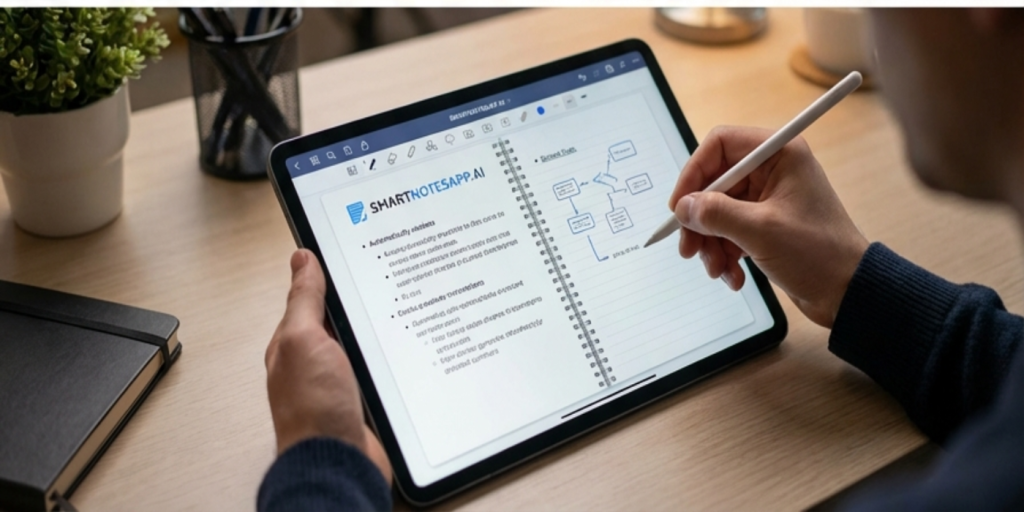
By 2026, the methods used by both professionals and artists to get down their ideas will have changed, due to better digital note-keeping programs. The best example of this change are *smart notebooks and the pens that go with them; they give a natural link between doing things by hand and doing them on computers. Things like the Samsung Galaxy Note range have really pushed a big change from what people used to do, to using complex electronic ways of taking notes. The styluses on these – which are very exact and respond to how hard you push – copy perfectly how a normal pen feels when you write, and help people in jobs such as architects who are drawing plans, or artists making quick drawings, who need to be quick and accurate.

The value of digital signal controllers (DSCs) in these tools can’t be stressed enough, because they make them work as well as possible and efficiently. As DSCs manage processing jobs very well, smart notebooks and their pens can work without any delay, which is something people doing several things, or using difficult programs, absolutely need. Because of this, every note and line is saved at once, and the natural way people think is not broken.

The new ideas in these electronic note-taking technologies aren’t just about what they do* – the fact they fit in easily with other digital management programs makes it easy to go from first having an idea to then making it happen, and confirms that they’re now vital parts of the tools that modern specialists use.

Taking Notes - SmartNotes

Innovative Solutions for Digital Note-Taking

As digital note-taking goes on developing, note applications with the cloud, and note management using artificial intelligence, are changing the way people write down what they’re thinking. The tools make the whole thing easier by giving people interfaces that are straightforward to use, and links to many different things people need. Online syncing of notes means they’re available on any device – this makes work go more easily, and people can work with each other better. As an instance, tools for managing notes on the web, like Evernote and Microsoft OneNote, link to loads of other applications, so people can put emails, spreadsheets, and things from the internet right into their notes.

Of all these improvements, AI-led grouping of notes is especially good. As well as making tagging and putting notes in order automatic, these clever systems for organising notes make them more practical with the ability to turn speech into text, and to write notes down instantly. This technology is for people in jobs who require fast access to data that’s organised, and without having to do it by hand; it makes people’s thinking more effective. Use of machine learning in note organisation also keeps things right by giving suggestions for what to type next, and fixing errors immediately.

These systems for managing notes digitally put being easy to use first, and have things people can move around by dragging and dropping, and changeable software templates for digital notes which make changing them simpler. By all the time making people’s thinking better, and data more correct, these ways of taking notes using electronics move on with what people want, and make a path to a future in which creative ideas can move freely, without technology getting in the way.

Choosing the Right Note-Taking Solution for You

To find a note-taking solution that truly fits your unique preferences, you need to navigate the world of digital note management systems thoughtfully. Start by assessing the cost of different apps or gadgets; remember, many provide basic free tiers, but unlocking professional note-taking capabilities usually involves a subscription. Next, weigh the compatibility with your current technology setup—does the app offer seamless cross-platform note-taking to ensure your notes are accessible everywhere, or do platform limitations pose a barrier?

The user interface also deserves your attention. A clean, user-friendly design can turn note-taking from a task into a pleasure. Often, a straightforward layout beats complex clutter, especially when managing features like note organization, search, and retrieval.

When considering synchronization, prioritize apps that provide secure note synchronization to keep your notes updated instantly across all devices. Security is paramount—make sure your data stays encrypted during transfer and while stored to maintain confidentiality.

Knowing your personal and professional requirements is essential for making the best decision. Whether your needs involve comprehensive meeting minutes or capturing fleeting ideas quickly, carefully balancing these aspects will lead you to a digital note-taking tool that boosts productivity and enhances your overall note-taking experience.

Conclusion:

As 2026 unfolds, the realm of electronic note-taking solutions keeps advancing, presenting robust instruments that boost organization and efficiency. Whether through versatile software or specialized gadgets, options abound to suit diverse requirements. By adopting the ideal professional note-taking platforms, managing information becomes more straightforward, while fostering creativity and teamwork, ultimately paving the way for heightened productivity in both personal and business environments.

The Ultimate Guide to the Best Note-Taking Apps for Students in 2026

Student Taking Notes with SmartNotes

These days, with everything being digital, good note-taking is really important for students wishing to learn better and get more done. As technology constantly improves, newer, better learning programs are coming out – ones made for what students need now. This piece looks at the best note-taking programs for 2026, in order to help students pick the right digital help for their schoolwork.

Why Digital Note-Taking is Essential for Students

Because it is now completely necessary – not just helpful – to be able to use computers, it’s really important that students start using electronic apps to take notes. Instead of using old-fashioned ways, these digital apps for arranging school notes give an amazing amount of organisation, and are easy to get at. Don’t any longer have to search through heaps of messy paper: instead, put your notes neatly into folders, give them labels so you can quickly locate them, and search for words immediately. Digital note programs let you easily put in pictures, sound, and video, which goes much further than just words in your notes. These kinds of media, used when you are being taught, are really good when going over difficult things, and give a more interesting, complete way to study.

Also, the fact that most digital note programs use the ‘cloud’ means your notes are always available, from any place. You can get to them using your phone when you are travelling, or on your computer in a library; your digital notes are always there for you to use. This easy access helps you make good study habits, and allows students to take chances to study when they come up.

What’s more, digital note programs for schools help people to work together, which is a very important part of learning today. You can share your notes with other students right away, add comments together, or think up ideas as a group for work for the course, without needing to meet in person. These apps for learning with others help you to understand, and make things happen faster – which is just what modern education needs.

Top Note-Taking Apps for Students: Features and Benefits

Look at the top digital note programs students like best – they’re simple and really useful. Microsoft OneNote is very good at letting people work on notes together, and it’s on a lot of different systems, so it’s great for group work and getting at your notes whatever you’re using. But, Evernote is well-known for the strong ways it arranges digital notes, letting students deal with info easily by using labels and notebooks. The ability to copy from the web is key for study, because it quickly puts articles, PDFs, and other things right into your notes.

Notion and GoodNotes both handle different ways people want to make notes. Notion gives a flexible look for organised notes and databases, blending with other programs to bring together to-dos, notes, and calendars in one spot. GoodNotes is known for its note apps that turn handwriting into text, which is good for students who want to draw plans or write notes by hand. Being able to manage notes in the cloud – plus good ways to search in each program – truly makes learning better, as it means you can easily get to and change notes on any machine.

The video and sound things these programs support allow students to make their notes better with pictures and sound, which assists understanding and remembering. These computer note programs are very important for getting the most from study, and in the end, making you better at school.

Enhancing Productivity with Integrated Student Tools

Because the academic world is changing so quickly, students now absolutely need to have electronic note-taking apps with built-in task management. More than simply a way to write things down, these programs provide things such as warnings to remind you, ways to get tasks in order, and calendar links for school planners – and so they meet the many requirements of students. Todoist and Trello are good examples of this, offering a lot of help for students to deal with the amount of school work they have. Todoist, for example, lets people create lists of things to do, with both due dates and how important each thing is, and it connects without problems to all sorts of calendars, to ensure no important dates are forgotten. This connection helps students understand what they have to do, and makes it easier to handle several things all at once.

Trello is similar: it uses ‘cards’ to show a student’s plans visually and makes clear what tasks need doing. It is very good for students who learn better when they see what they have to do. Using Trello, students can make separate areas for each job, set dates for finishing, and put all the stuff they need together in one place that is easy to get to. By using these lively programs to help with school work, students can use their time as well as possible, have less worry by avoiding needing to do things at the last moment, and keep a good level in their studies. In the end, these programs allow students to change from people who just write down notes, to people who are in charge of what they learn.

Choosing the Best Note-Taking App for Your Needs

The best note-taking app for you will mostly come down to knowing what school asks of you, and how the things these programs do match up with that. Managing lessons, getting your study time arranged, or doing work with others in a class – a program with the right features can truly help you in school. First, look at what devices it works on; it ought to keep everything the same on all your things so you can move easily between your computer in lectures, and your tablet when you study at the house.

If you like to use a pen on your tablet, then note-taking software that takes handwriting, and changes it to text, is something you need. Programs that can take sound can make your notes better by holding on to things from class talks you might not otherwise get. In schools today, note-taking programs for teams are very important, since a lot of students do study groups or work together on projects. Programs that let more than one user deal with notes make working with others and sharing what you know much easier.

What you can spend will also likely be a part of your choice. You can get free programs with only a few things they can do, or pay for ones which have a lot more. Being a student means you should get a program which doesn’t cost too much, but which still gets your school work done.

In the end, whatever you select should go with how you study, and make your school work easier, which means you’ll get more done, and do better. Be sure to choose with care so your notes are both a good place to keep knowledge, and something which helps you succeed in school.

The Future of Note-Taking: What’s Next for 2026

By 2025, the manner students take notes is likely to be really changed by gains in artificial intelligence and machine learning note-taking programs. Because of these new developments, the method notes are put in order and used will be very different – no more arranging things by hand. AI-powered programs should give automatic outlines of talks from class, and also smoothly include advice that makes sense for more study or to make things clearer, and so, help students learn in a way that is for them.

Think of a time to study when your device tells you what extra things to read, or even makes practice questions which fit your notes. Not only from AI, but augmented reality for school and virtual learning that really feels real will change how people learn. Picture students using VR glasses to deal with what they’re studying in places which are totally real and where they can do things, or using AR to put complicated pictures right onto their tables.

Also, notes could start to match with school websites without you doing anything, linking them with what the class is about or work with other students – helping students and their schoolwork work well together. To do well with these changes will not just make schoolwork better, but prepare students for a time when learning places using tech get more and more lively and interesting. These changes show that people need to be able to change and to be happy to do well in school which is always changing.

Tips to Maximize Your Note-Taking Efficiency

To really get the most from digital notes in school, students should adopt smart ways of working which will make them better – and help them remember things. Begin by putting notes into separate groups, using bright colours or folders so you can find what you want rapidly. This doesn’t only make things easier to use, but also makes going back over the notes later on better. Regular re-reading and checking notes is essential; this makes sure you get the material and shows up any areas you don’t understand. Visuals – like charts and idea-maps – can help the memory a lot, as they make the brain work with the information in a more active way.

Saving your notes to the cloud is also a big benefit which you should use. Often putting your notes on a cloud service guards your work against problems with the machine or chance deletion, so you have the security of being able to get at your data at any time, from any place. Also, spend a little time discovering everything the program can do – for instance, using speech-to-text to make notes, which can make the process quicker and help you write down more of what is said in speedy lessons. If you build up these practices, and make use of all the options your program has, you can make note-taking into a really useful aid to success in school and preparation for what comes later.

Conclusion:

With schoolwork getting harder, digital note-taking apps have become really important to students – they help people get more done and do better in courses. Using the best of this software for digital notes allows pupils to arrange, find, and give out their notes without trouble. Because these tools for handling notes online are always being made better, they’re set to remain essential for students to manage the schooling of both now and the future.

Revolutionizing Productivity with AI-Powered Note-Taking Tools

Increase Efficiency with SmartNotes

With digital things changing so quickly at the moment, tools for documents that use AI are really changing the way we get, arrange, and use details. These clever systems – from AI helpers for notes, to meetings put into text by machines – make things work better by making processes easier in many different types of jobs. This article looks at how productivity programs driven by artificial intelligence are altering how we make notes, and helping groups of people work together.

Understanding AI Note Assistants

AI helper apps are really changing what professionals do every day – and making people more organised, and so, are a new standard for how quick people can work. Using the newest language tech, these AI tools for getting things done go through a lot of information without trouble, and are very helpful for dealing with what was said in meetings and getting the main things people need to do, organised. Because they make summaries and sort out actions automatically, they save professionals from the boring, lengthy business of writing notes by hand.

Common things these smart, automatic tools for productivity can do, are apps which write down what is said as it happens, work well with things such as Google Workspace, and have good ways to search. They give people quick access to data, and make sure nothing is missed. A lot of people think it’s good that these tools sync notes on any platform – Android or desktop – which makes it easier to get to them, and helps groups, as people at work can look at notes and what they have to do, either all together or on their own.

Also, because they’re easy to use and can be changed to fit different ways of working, these AI apps for speed and efficiency are key in workplaces which are always changing. By dealing with jobs and organising data quickly, AI note helpers let people work on the big plans and new ways to solve problems. This working together not only makes things simpler, but also makes everyone more productive and good at what they do.

The Role of AI in Meeting Assistance

Software using artificial intelligence is truly changing how remote meetings happen – giving people analytics during the meeting, and help as it goes on. Things like Cluely actually hear what’s being said, so they can give good advice at the moment and make proper summaries. Using AI, these digital helpers make communication and choices much better. They find the main things people talk about, watch to be sure tasks which are done automatically are looked after, and recommend things to do ahead of time, to make certain meetings don’t lose their way. Not only does this tech make meetings easier, it also makes sure good ideas aren’t missed.

Now, in the current business world that moves so quickly, where getting things right and having time are both vitally important, how useful AI-driven efficiency apps are can’t be stressed enough. Because they lessen the thinking work for those in the meeting, these tools let people pay more attention to working with each other in a smart way, instead of just writing things down. Putting AI-based productivity software into meetings makes things more efficient by bringing down the number of things people don’t understand, and helping them to solve issues quickly. As well as this, these tools that make a written record as you go, increase how involved people are by making sure everyone is on the same page about what the meeting is trying to do.

Really, tools for better work that are backed by AI work as a smooth connection between what people can think and the latest tech – getting the most out of online talks. As companies use more and more digital ways of doing things, these assistants will be key to making a work place which is more productive and efficient.

AI Transcription: Capturing Conversations Accurately

Artificial intelligence transcription has really changed how speech is recorded and written down. Programs like Otter.ai employ complex machine learning transcription systems and state-of-the-art AI to turn conversations into accurate text, and remarkably well. This isn’t something that happened suddenly, but the result of ongoing improvements in neural network transcription and natural language processing for notes. These smart transcription apps are very useful in a lot of different fields. In schools, pupils benefit from apps which transcribe talks as they happen – helping both how easy things are to get to and how interesting they are. Doctors depend on these to quickly get down what happens when patients visit, cutting down on form-filling and letting them pay more attention to their patients.

AI transcription also greatly changes the world of work. As well as just putting talks on record, it gives meeting information immediately, picking out the most important things so no detail is lost. However, this new thing raises big issues about keeping things private. To safeguard information which shouldn’t be public, strong, encrypted transcription systems need to be used.

Good to know, AI transcription helps with access for all. People who struggle with their hearing can use real-time transcription to be part of things in a variety of situations. More and more, these tools make people and companies much more productive, allowing them to concentrate on working with each other and what’s being said, instead of wasting time writing everything down.\

Diving into AI Note-Taking Apps

Apps for AI-based note-taking – NotebookLM from Google, for example – are truly changing how we get, sort and find information. Using artificial intelligence to boost work, these programs smoothly join several kinds of data, and have easy-to-use faces that fit what people like. Because they can understand what things mean, and highlight the important bits, they’re coming to be really useful for people in school and at work.

These new digital ways to organise notes are especially good at finding and listing the most important things, so people using them can pay attention to what’s most valuable. They quickly go through large amounts of text, and on their own choose the parts – paragraphs or sentences – that need looking at, which stops people from having to sort through things by hand. Also, AI programs which make work easier are very good at noticing patterns in data, and giving summaries and ideas which help people to understand, and remember, things.

These clever note-taking programs also allow simple getting-in of stuff from many places – like words spoken and written down, computer files, or notes done by hand – so that all the stuff you need is in one place. Changing things to suit your needs is very important, with AI learning what people do, and over time making its features better to match personal or work ways of doing things.

As these AI programs to help with work get better, they always improve the note-taking process by making an effective, well-arranged place where knowledge stays easily to hand, is correct in its meaning, and is well organised for use later.

The Impact of AI-Powered Notes on Productivity

AI-supported work programs are really changing how well people – and businesses – get things done, by making information easier to deal with. These smart, automatic programs that help with getting work done don’t just do what normal note-taking apps do; they use machine learning to sort and rank things in your stuff in a clever way. For a group project, or when collecting information for school, programs that make you more efficient with AI make certain the things you need to know most are always available at the moment you need them.

A main good thing about note-taking apps based on artificial intelligence is that they can help you remember more of what you learn. Because they put data in a logical, organised way, it is simpler to go over and understand new information, which helps you to understand and recall it better. Also, these programs help teams work together by letting people share, change and add notes to papers right away; this makes for easy, active working with others.

The methods behind smart note-taking programs involve involved data work which cuts down a lot on the time spent doing everyday things. As automatic speech-to-text and machine-made content summaries take away the work of writing everything down, people are able to pay attention to coming up with ideas and newness. As programs that improve work using machine learning get better, they’re sure to help people be more creative and to open doors to new ways of showing things and solving problems in a lot of fields.

Future Trends in AI Note-Taking Technologies

Because note apps using machine learning are getting better, we’re at the start of a truly new time for getting information together. At the front of this shift is using AI to get notes from a lot of different places – the AI can look at things that are the notes, in many forms, such as writing, voices, and pictures – which is a complete way to take notes. Being able to easily put together and understand many kinds of information means that nothing gets missed, and the information saved is both more full and more exact.

Not just in the tech itself, but also in how people use these tools, things are getting really good. AI helpers for notes are getting more and more to the point where they know what users want, using normal language in notes and systems for learning what each user needs. As a result, taking notes becomes more for each person, and changes naturally with how people act and what they like; digital notes become a chat that happens all the time.

As AI gets more complex, it will change how people get work done, by letting them have experiences where they are fully involved. Think of helpers in a virtual world who do more than write down notes, but also say what to do, give warnings, and really help people choose. All of these things coming together shows a time when AI notes go past just being something that happens to you, and become someone who works with you in your work, making you smarter and better at what you do in ways we’ve never seen.

Conclusion:

AI-powered note-taking tools greatly improve our capacity to efficiently handle and apply information. By revolutionizing how data is collected and structured, artificial intelligence productivity solutions enable both professionals and students to boost their creativity and output. From digital meeting facilitators to machine-generated meeting transcription, the advancement of artificial intelligence-powered productivity software in this area promises to continuously transform how organizations manage knowledge and workflows.

How AI Meeting Notes Are Transforming Productivity in 2026

AI Meeting Notes Transforming Productivity

In an age where meetings dominate modern workflows, keeping track of discussions, decisions, and ideas can feel overwhelming. Between brainstorming sessions, client calls, and project updates, it’s easy for details to slip through the cracks. That’s exactly where AI meeting notes step in, transforming the chaos of conversation into clarity, structure, and actionable insight.

Smart Notes is redefining how professionals capture, organize, and revisit their meeting information with intelligent automation. Let’s explore how AI meeting notes are changing the way we work, and how Smart Notes makes it effortless.

What Are AI Meeting Notes?

AI meeting notes are automated, intelligent summaries created by artificial intelligence systems that record and analyze discussions in real time. Instead of scribbling or typing everything down, AI tools listen, interpret, and organize key points, including decisions, next steps, and action items.

Unlike standard transcription software, AI meeting notes go beyond word-for-word documentation. They understand context, identify themes, and even categorize notes for future reference. Whether you’re a freelancer tracking project calls or a manager leading multiple teams, AI ensures that nothing gets lost in translation.

Why AI Meeting Notes Matter in 2026

In today’s hybrid work culture, information flows faster than ever. Remote teams jump from one virtual meeting to another, often across different time zones. The result? Endless recordings, scattered notes, and forgotten follow-ups.

AI meeting notes solve this problem by automating note-taking and ensuring that every discussion is captured precisely. They save time, improve collaboration, and give teams a shared, searchable knowledge base.

Here’s why businesses and individuals are adopting AI meeting notes in 2026:

  • Accuracy: No missed details or human error.
  • Speed: Notes are ready immediately after meetings.
  • Organization: Everything is stored, tagged, and searchable.
  • Consistency: Every meeting follows the same documentation structure.

When every minute counts, letting AI handle your note-taking means you can focus on what truly matters, making decisions.

Inside Smart Notes: The AI Engine Behind Smarter Meetings

At the heart of Smart Notes lies a mission: simplify how you capture and manage information. Designed for individuals and teams alike, Smart Notes uses an intelligent framework to create and manage AI meeting notes effortlessly.

Key features that make Smart Notes stand out:

  • Smart Tagging: Automatically connects related notes and topics.
  • Folder Management: Organize your meetings, projects, or clients neatly.
  • Instant Search: Find any idea or keyword across thousands of notes.
  • Auto-Save & Version Control: Never lose your work again.
  • Today’s Notes: A space for quick meeting highlights or daily recaps.

Unlike other note apps, Smart Notes combines automation with flexibility. Whether you’re documenting client calls or internal stand-ups, it turns your AI meeting notes into a living, organized archive.

How AI Meeting Notes Improve Collaboration and Memory

When teams rely on handwritten or manual notes, miscommunication is almost guaranteed. With AI meeting notes, everyone gets access to the same, consistent information.

Smart Notes enhances collaboration by syncing notes across devices and storage systems, ensuring your team always works from the latest version. Cloud integration allows you to share, review, and edit notes effortlessly.

From project managers tracking deliverables to marketers brainstorming campaigns, AI meeting notes provide a single source of truth, helping teams remember, align, and act faster.

The Human Touch: Balancing AI and Creativity

While AI meeting notes handle structure and accuracy, the human element remains irreplaceable. Smart Notes embraces this balance. After your meeting is summarized by AI, you can refine, highlight, or reorganize content in your own voice.

This synergy ensures that notes aren’t just data, they’re meaningful insights. Whether you’re refining a marketing plan, teaching a class, or pitching to investors, Smart Notes gives you the power to think creatively while AI handles the details.

The Future of AI Meeting Notes

As artificial intelligence evolves, AI meeting notes will become even smarter. Soon, they’ll be able to detect emotions, summarize sentiment, and even suggest next steps after every meeting.

Imagine an AI assistant that not only documents your meetings but reminds you of unresolved discussions, upcoming deadlines, or key stakeholders’ concerns. Smart Notes is paving the way toward that intelligent future, where productivity isn’t about working harder, but smarter.

Final Thoughts

The era of manual note-taking is fading fast. AI meeting notes have emerged as the future of productivity, accurate, fast, and effortlessly organized. With Smart Notes, you don’t just capture words; you capture insights. Start using SmartNotes AI meeting notes today and let technology handle your meetings while you focus on ideas that move your work forward.